Execution · 1:31
Simulation accounts
Learn to create simulation accounts with your own balance and real commissions, trade them at live prices and manage them in the Accounts widget with EliteXCharts, in under 2 minutes.
Chapters
Step by step
- Create a simulation account from the account list in Chart Trading
- Set its name and starting balance, and turn on brokerage costs to pay the standard commission on every fill
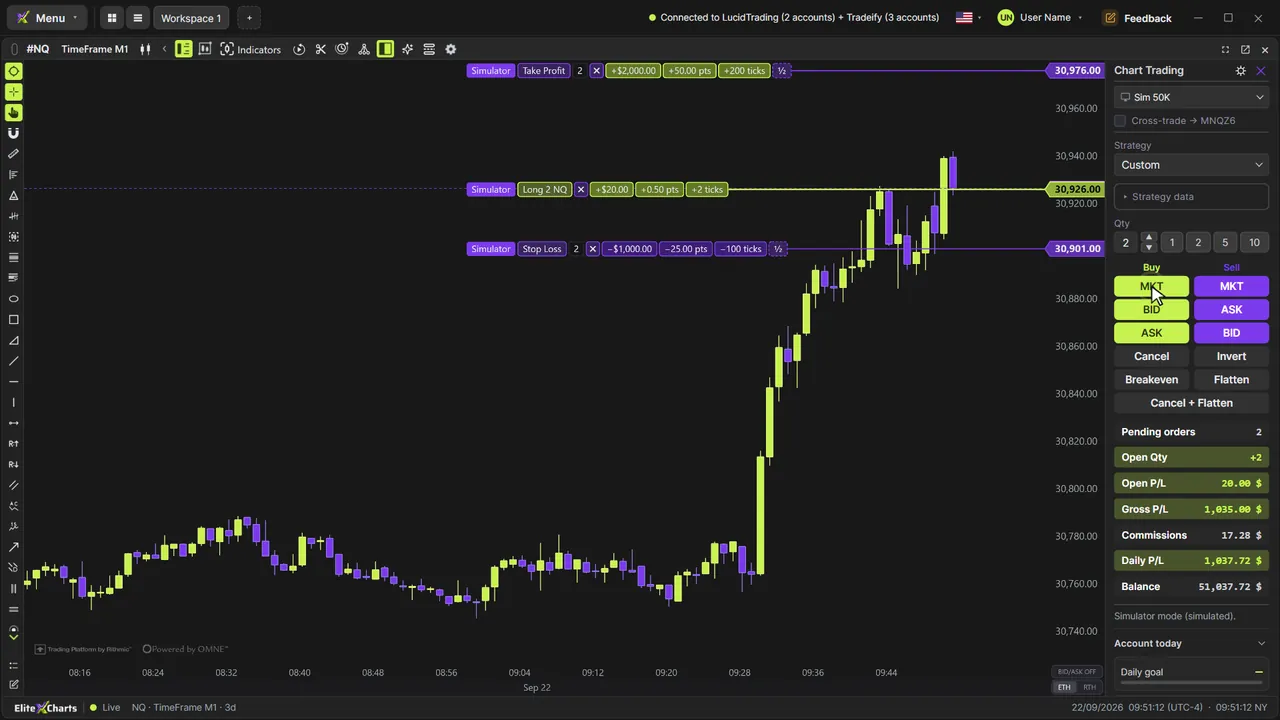
- Trade it at live prices like a real account: here, a buy on the breakout of a candle's high, with a target and a stop
- Close the platform mid-trade: everything is saved and synced to the cloud
- Come back to orders filled in the exact order price reached them, replayed tick by tick
- Read the gross result, the commissions and the net in Chart Trading
- Keep one account per strategy, and reset, rename or delete them in the Accounts widget
What the narrator says
0:08Welcome to EliteXCharts. In this video: simulation accounts. Practice and test your strategies with your own balance and real commissions, without risking real money.
0:18In Chart Trading, open the account list and pick New simulation account.
0:24Give it a name and a starting balance, and turn on brokerage costs: every fill pays the standard commission, in and out.
Read the full transcript
0:31Create it, and it's already selected on this chart, with its own balance and history.
0:37Now trade it like a real account, at live prices. Here, a buy on the breakout of this candle's high, with a target and a stop.
0:45You can even close the platform with the trade still open. It shows you what's open, and everything stays saved, and synced to the cloud.
0:54When you come back, it replays the market tick by tick since you left, and fills your orders in the exact order price reached them.
1:01The target filled while you were away. Here's the gross result, the commissions, and what you actually made.
1:08Create one for each strategy you test. In the Accounts widget, they have their own section, with each one's balance and result.
1:16Right-click one to reset the balance and start over, to rename it, or to delete it.
1:22That's simulation accounts in EliteXCharts: practice with real costs, before you put real money on the line.