► right from the Journal
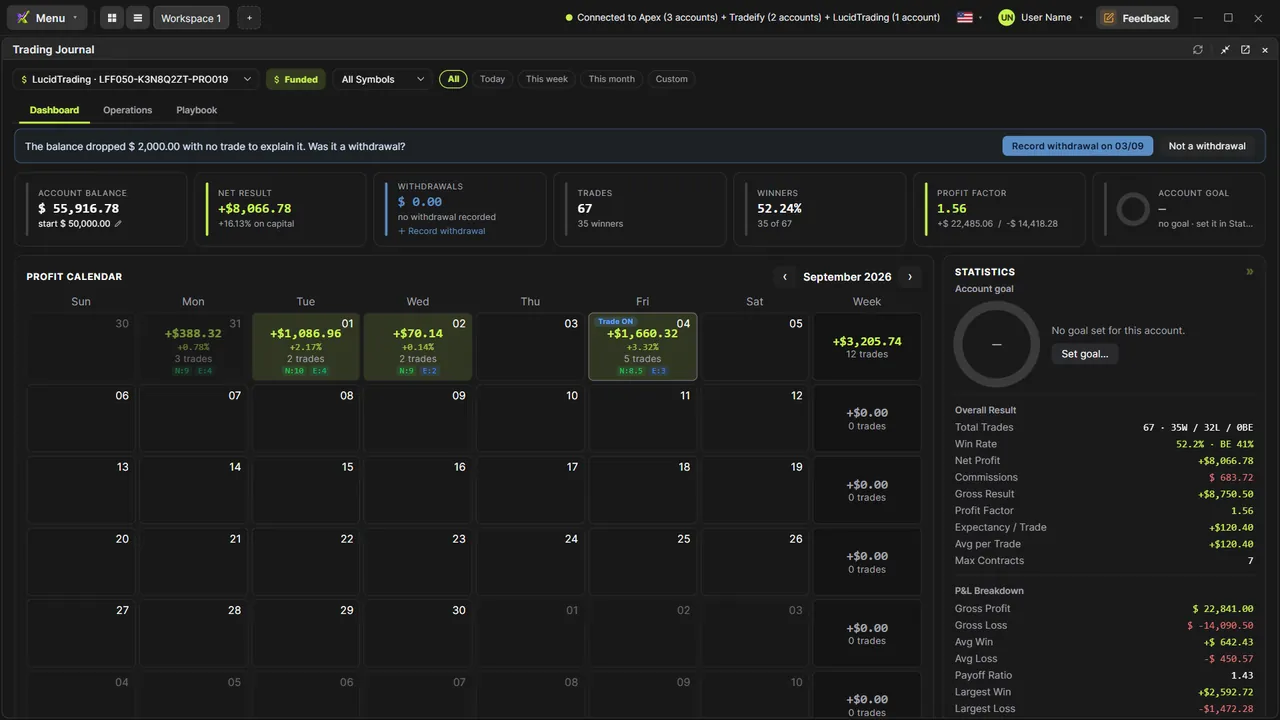
Every trade in the table opens in the replay with one click, in its own window, on the platform's chart.
Trade Replay
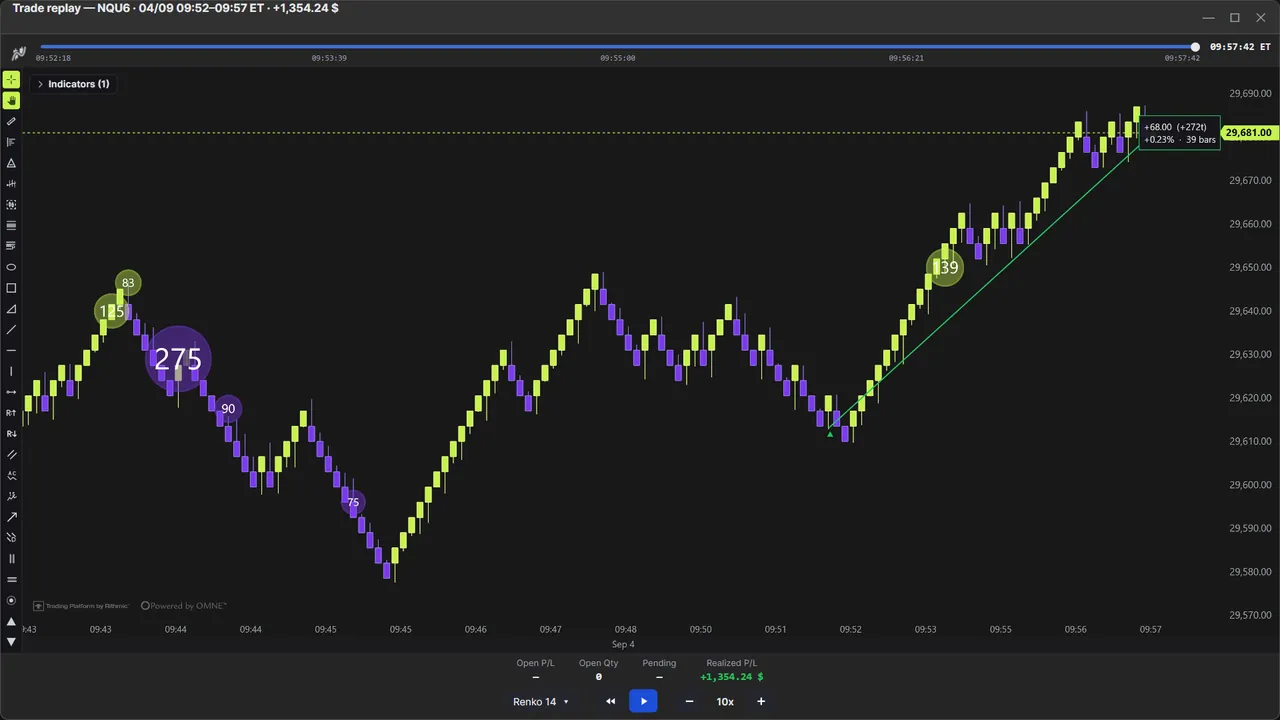
Hit ► on any trade in the Journal and it comes back to life: entry, management and exit replayed from the real ticks, at any speed, on the chart type and timeframe you choose, with your indicators. Works on Windows and macOS. It's the review professionals do, without screen recording or an editor.
Every trade in the table opens in the replay with one click, in its own window, on the platform's chart.
From slow motion to dozens of ×, pause and resume anywhere; the progress bar jumps to any point.
Switch type (TimeFrame, Renko, Tick, Delta) and size DURING the replay, with the same picker as the normal chart.
Add and configure indicators in the replay window; the trade replays on top of them.
Entries, stops and targets on the chart with the real timestamps.
Open P/L, quantity, pending and realized P/L updating on every tick, in the replay window.
Video tutorials
Step by step, with real data. The ones tagged “More tutorials” cover other topics.
Order flow
The market as it is, tick by tick
Footprint
13 ready-made versions, 1 to 4 columns, ticks grouped on NQ
Candle types
TimeFrame, Renko, Tick and Delta: the same market
Chart Trading
Manage the whole trade on the chart
Cross Trade
Analyze on the mini, execute on the micro
Copy Trading
One execution, every account
Risk Manager
The rule blocks BEFORE the order leaves
Market Replay
Any day that already happened, tick by tick
Trading Journal
Where your discipline becomes a number
Accounts
Every account in its place
Session Clock & News
Never get caught by a news release again
AI Assistant
Ask. The chart obeys.
6 months, 1 year or lifetime: you only choose for how long. Until Dec 31, at founder pricing.
See plans & pricing