Skip to contentFounder pricinguntil Dec 31Batch 1 of 3–days–hours–min–secSee the plans ↗︎

Features

Everything the platform does, and what only it does.

Built in the real day-to-day of trading NQ and ES, and tested where it hurts: live account, prop firm, payroll day. Every feature exists because it was missing in a real session. Nothing here is a roadmap promise: it's what you get in the download.

Real order flow

Read the auction as it is: tick-by-tick flow, the footprint your way, four candle types and the gamma levels.

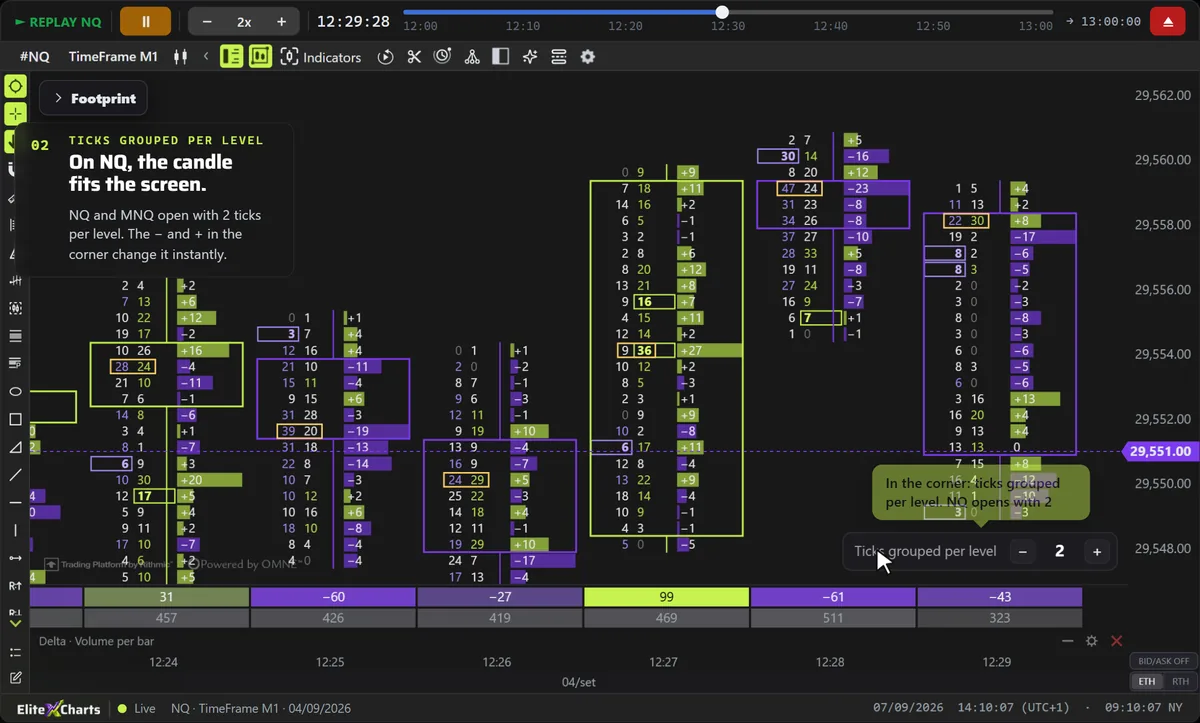
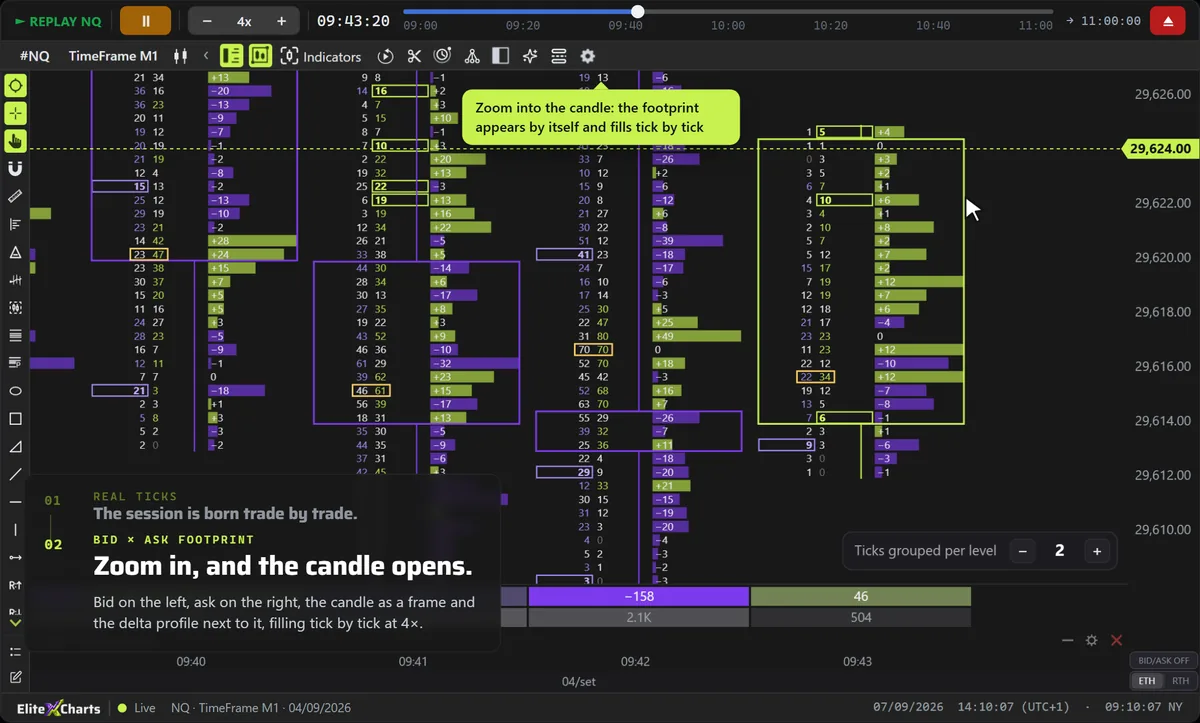
13 ready-made versions, 1 to 4 columns, ticks grouped on NQ

  • 13 versions, one click each — Numbers only, bid × ask as a profile, Volume Profile and Delta Profile in the candle, box mode and more. The caption on hover explains each one.
  • Ticks grouped per level — On NQ and MNQ, the footprint opens with 2 ticks per level. The − and + in the chart corner change it instantly, from 1 to 50.
  • 1 to 4 columns per bar — Each column shows bid × ask, volume, delta or delta with total volume, as boxes or as a profile.
Explore Footprint →+5 on the page

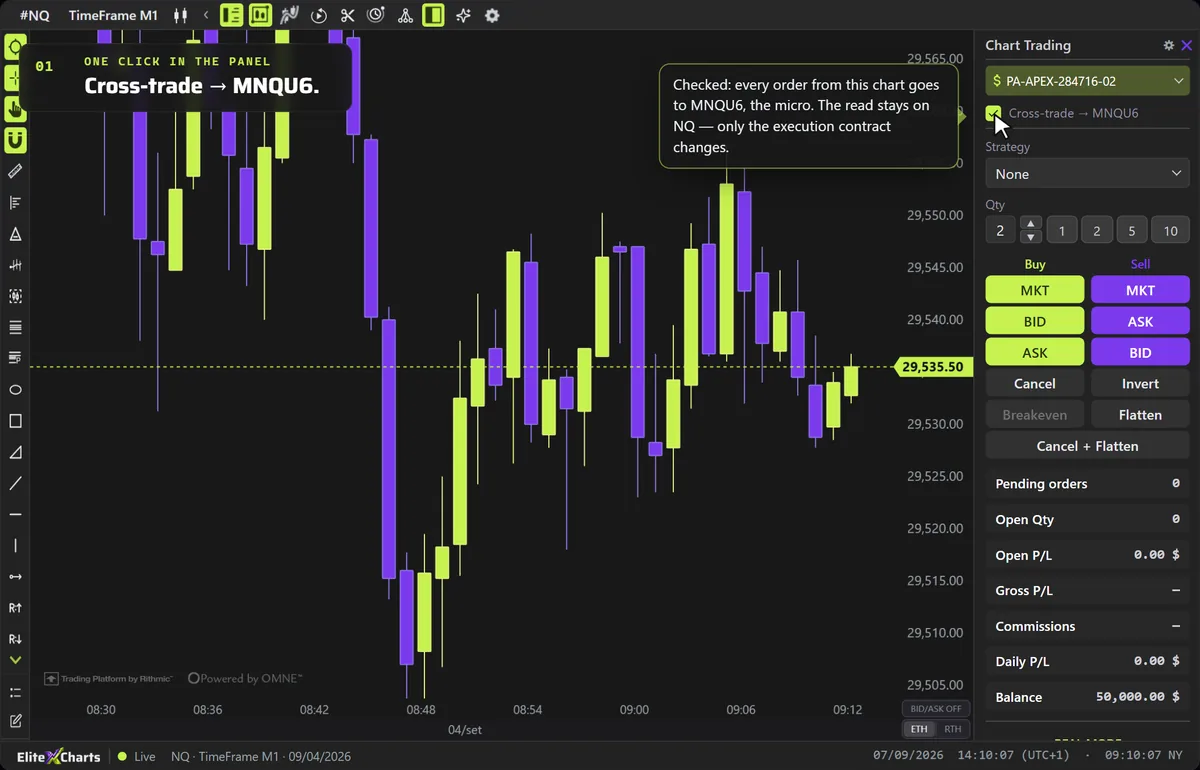
Analyze on the mini, execute on the micro

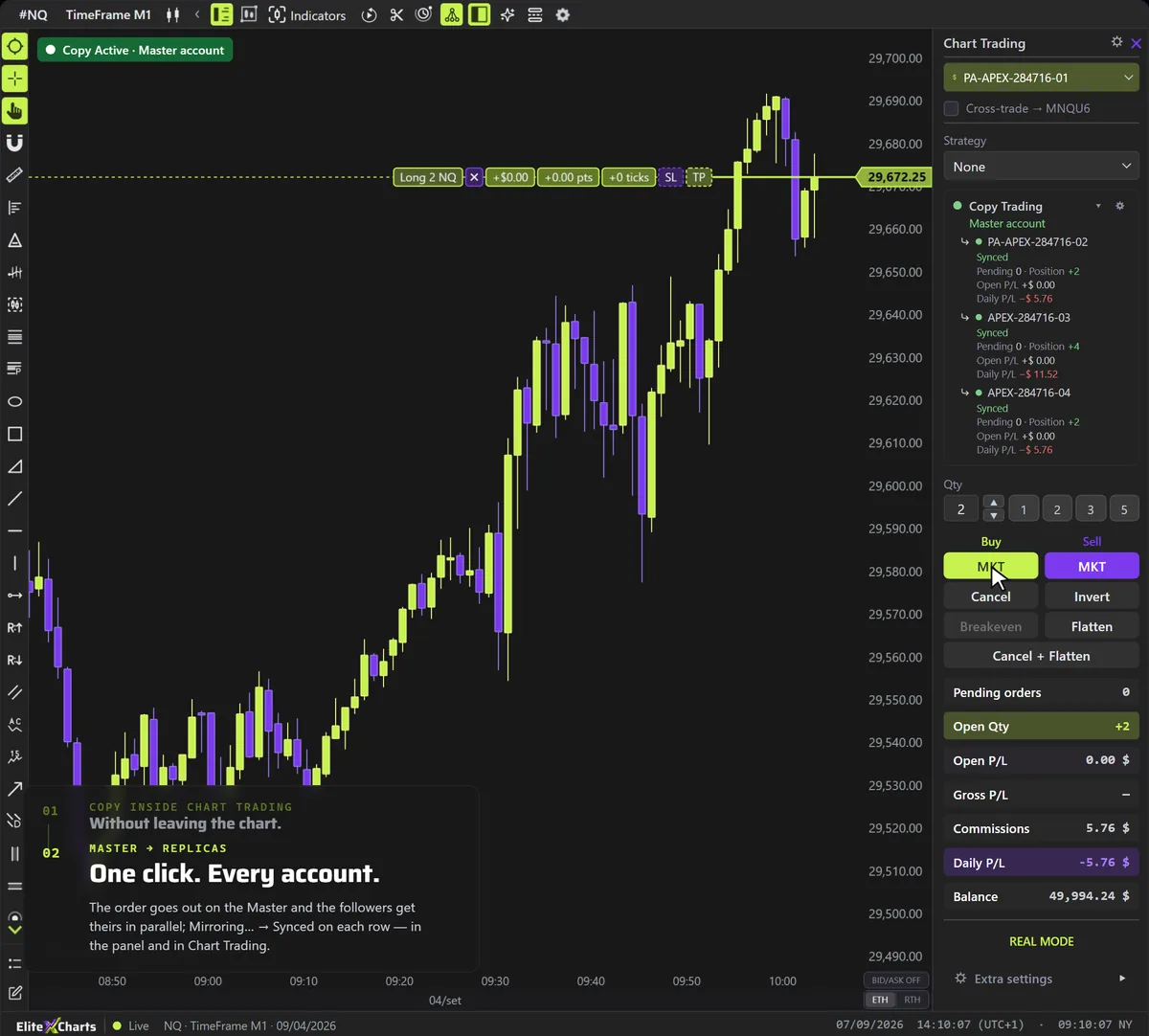
  • Mini → micro, same order — Analyze on NQ/ES and execute on MNQ/MES, with the same quantity, price and expiration; the P/L is in the micro's dollars.
  • One chart, one decision — No duplicate chart per instrument: the read and the execution live in the same place.
  • Six pairs — NQ→MNQ, ES→MES, RTY→M2K, YM→MYM, CL→MCL and GC→MGC, the micro of the same expiration.
Explore Cross Trade →+2 on the page

Gamma Levels

GEXBOT KEY

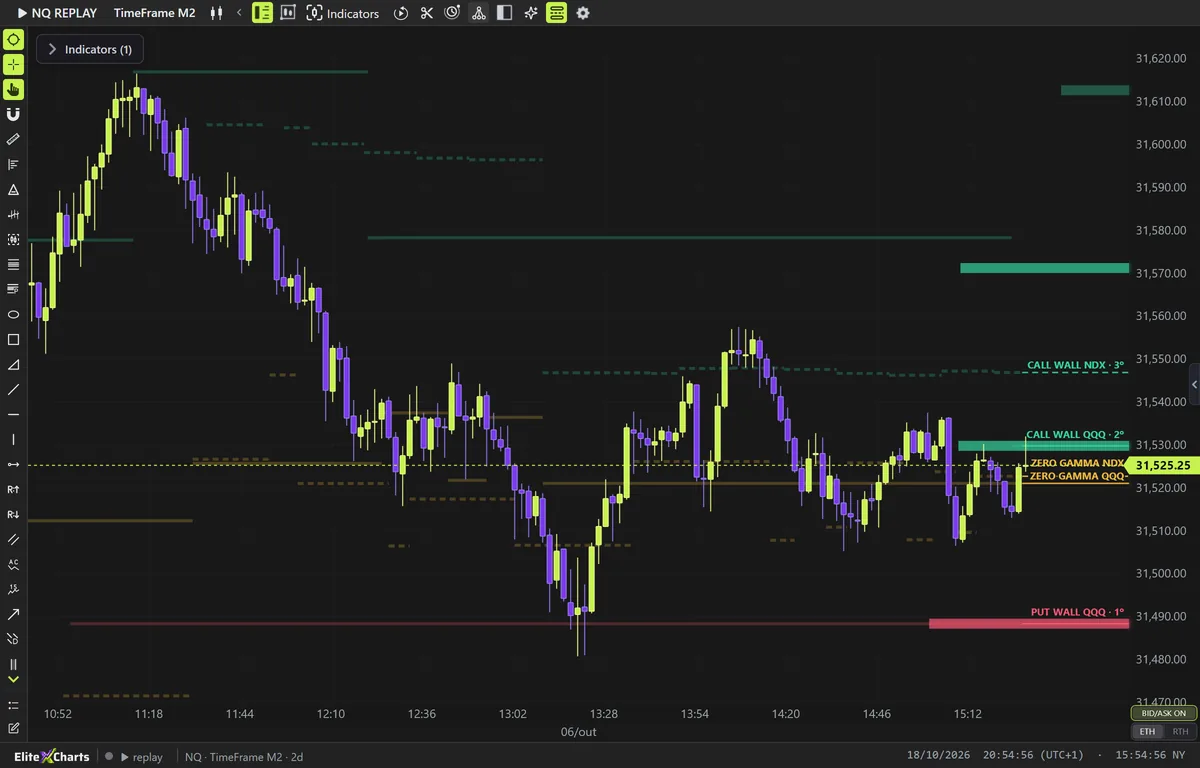
Call Wall, Put Wall and Zero Gamma on your chart, from QQQ, NDX, SPY and SPX.

  • Always in your indicator list — On any NQ, MNQ, ES or MES chart, Gamma Levels is there. Without a key, the click opens the card to paste your GexBot API key; once it's connected, the levels appear.
  • Four symbols, four chains — QQQ and NDX drive NQ and MNQ; SPY and SPX drive ES and MES. The ETF is projected onto the futures price by the day's ratio, the index comes in natively. Both sit on the same chart, each labeled with its source.
  • Every 20 seconds — During the session the app fetches the levels from GexBot every 20 seconds; the chains trade all session and the levels follow them.
Explore Gamma Levels →+3 on the page

Execution

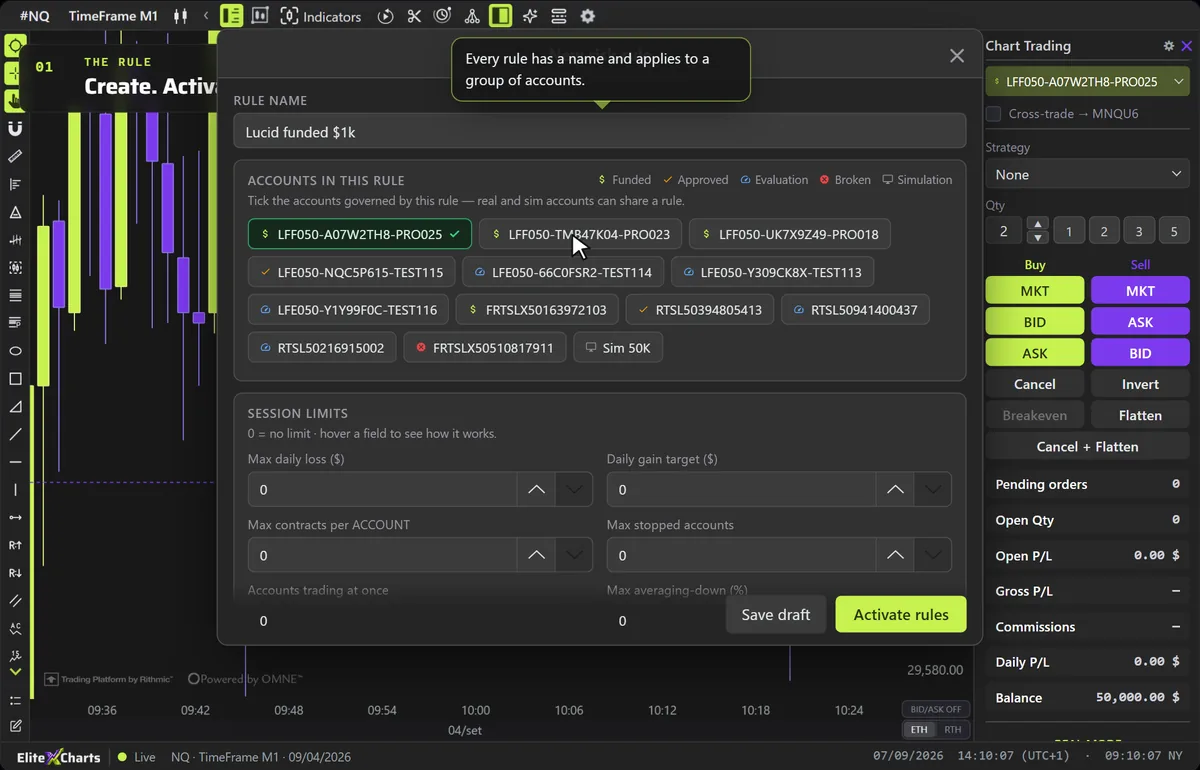
From the chart to the broker: the order leaves the chart, replicates across accounts and the risk rule locks first. And the news warns you before it hits.

Manage the whole trade on the chart

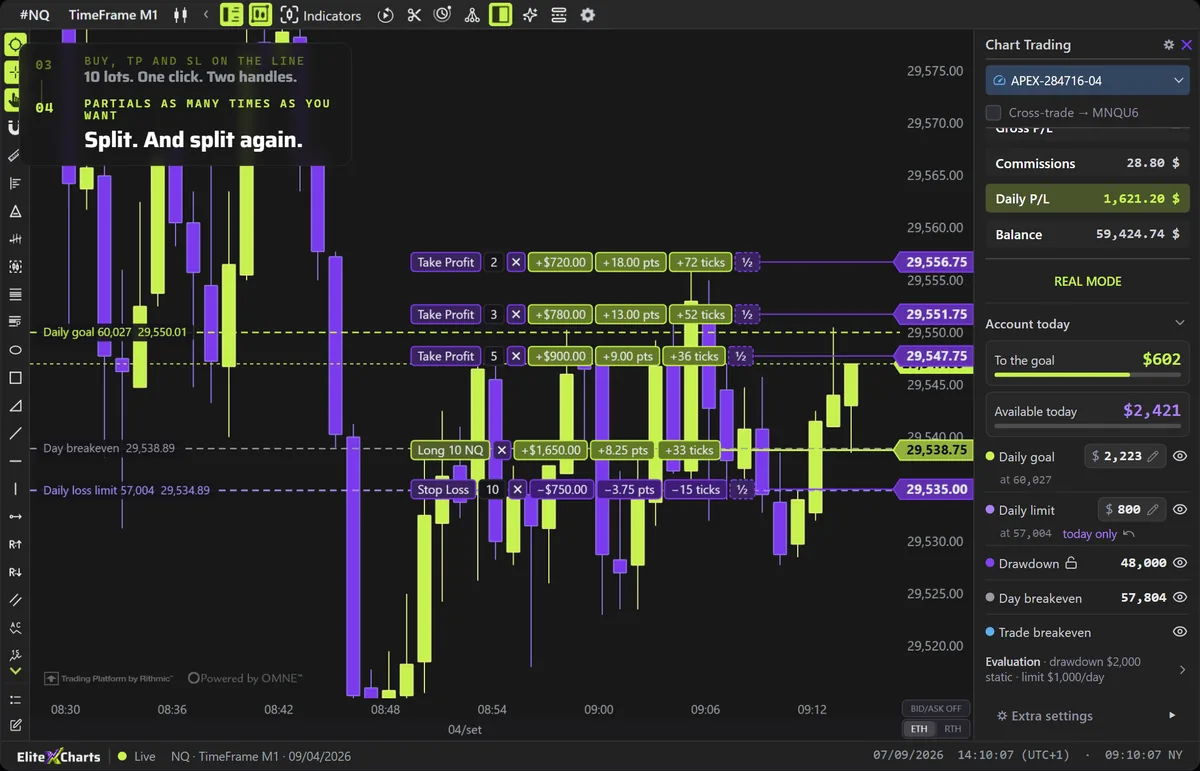
  • TP/SL partials on the order — Split target or stop into partial exits right on the order line, on the chart. A house exclusive.
  • OCO on pending orders — The pending order is born with TP and SL attached; adjust everything BEFORE it fills.
  • Full Chart Trading — Shift+click buys and Alt+click sells at the clicked price (limit or stop by the side of the price), live BID and ASK on the chart and Invert in a single order; drag it, and it changes at the broker.
Explore Chart Trading →+4 on the page

Never get caught by a news release again

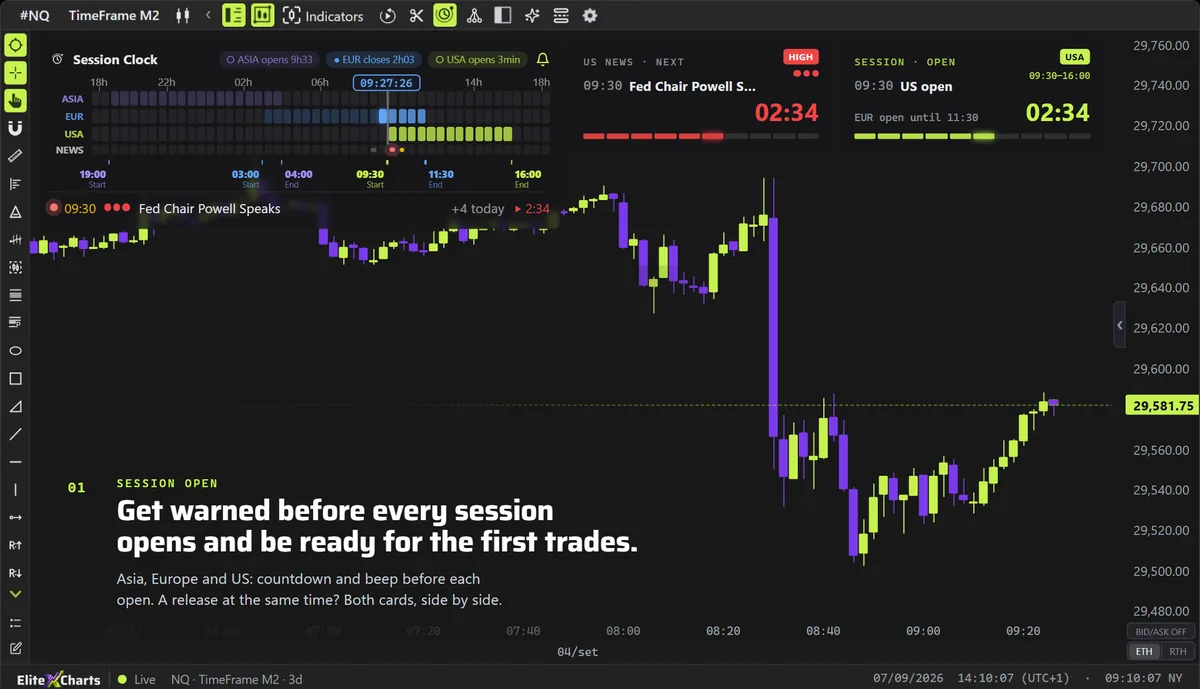
  • Three sessions, one clock — Asia, Europe and US on the Globex day in 30-minute blocks. Overlaps show up by vertical alignment; the past dims, the current block glows, and the ET time runs with seconds.
  • US calendar on the chart — Today's releases with time, impact and forecast. Hover the clock and the list opens the whole day; in the last 5 minutes, the card shows the forecast and the previous value.
  • Sound alert — One beep at 5, 4, 3 and 2 minutes, then a beep every second in the last minute. You can be in another window and still know exactly when it hits.
Explore Session Clock & News →+4 on the page

Study & discipline

Relive, measure, improve: the session and every trade again, tick by tick, the journal that becomes numbers, every account in its place and the assistant that reads your chart.

Any day that already happened, tick by tick

  • Two ways in — ✂︎ Replay from here cuts the chart at the clicked point. Or pick date, ET time, Symbol 1 and 2. It's always the continuous contract (NQ, ES), with the past ready from the cloud.
  • Any chart, two symbols — Time, seconds, tick, delta and renko; up to 2 symbols on the same clock (NQ + ES). Switch symbol and timeframe during the replay.
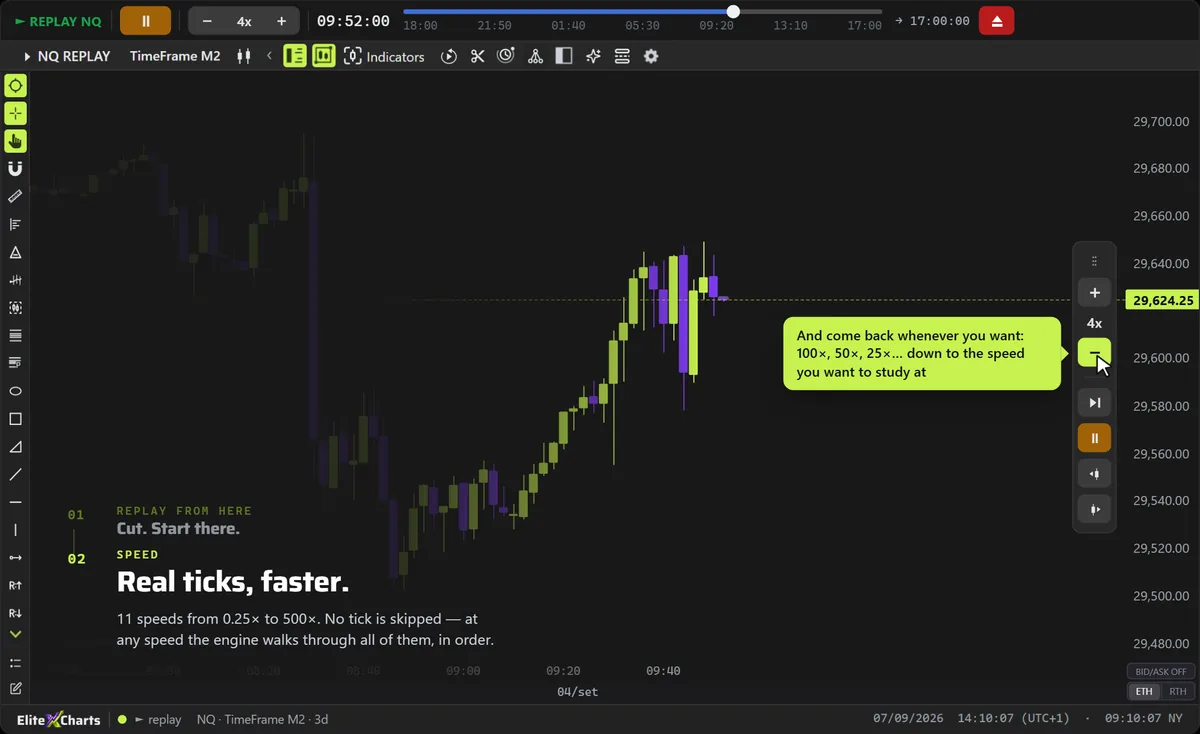
  • Fine control — Candle by candle, tick by tick, one candle back, 11 speeds from 0.25× to 500× and a draggable timeline.
Explore Market Replay →+3 on the page

Every account in its place

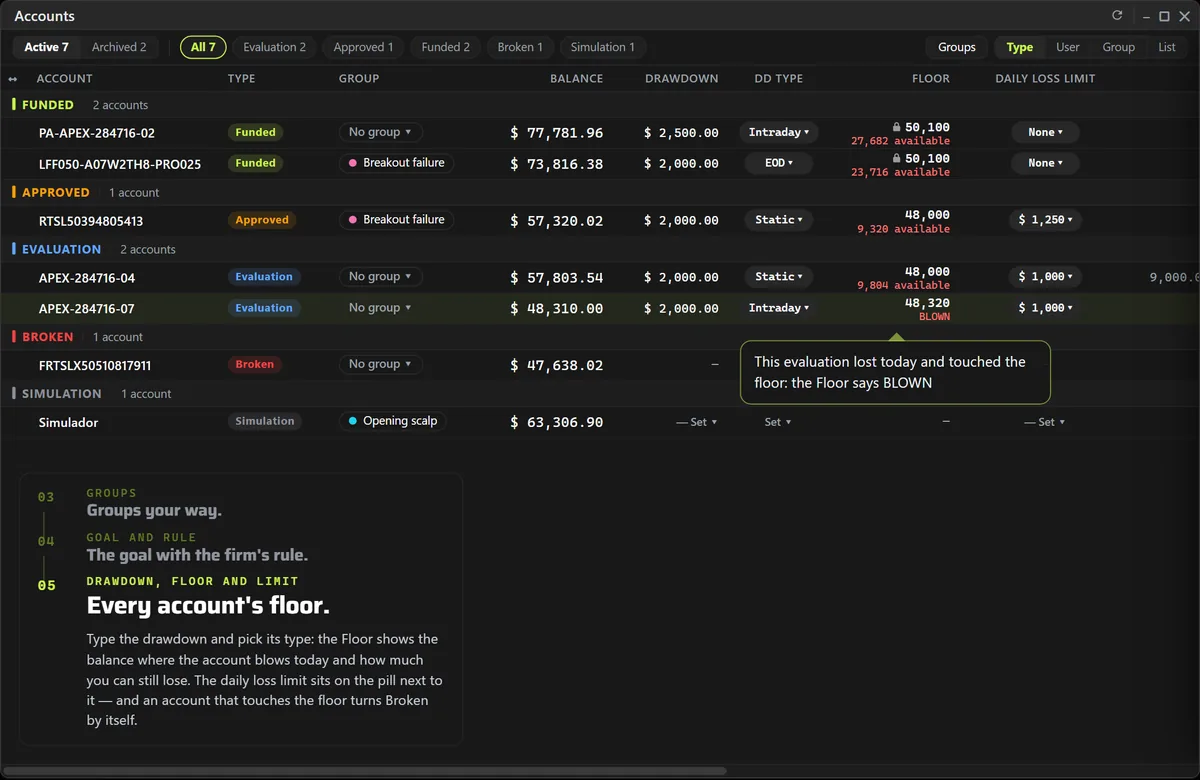
  • Type at a glance — Funded, Approved, Evaluation, Broken and Simulation. The type organizes the table, and the filter on top shows only the ones you want.
  • By login, by group or by type — Organize → User puts each login's accounts together; Group shows your own groups, each with a name and color; List drops the headers.
  • Goal and consistency rule — Goal in $ and the firm's rule (Free or 20–50%) right in the cell: Progress, what's left and the Max daily objective; if your best day breaks the rule, the goal shows recomputed, unless the increase would be $100 or less, the margin firms allow.
Explore Accounts →+5 on the page

Relive every trade tick by tick

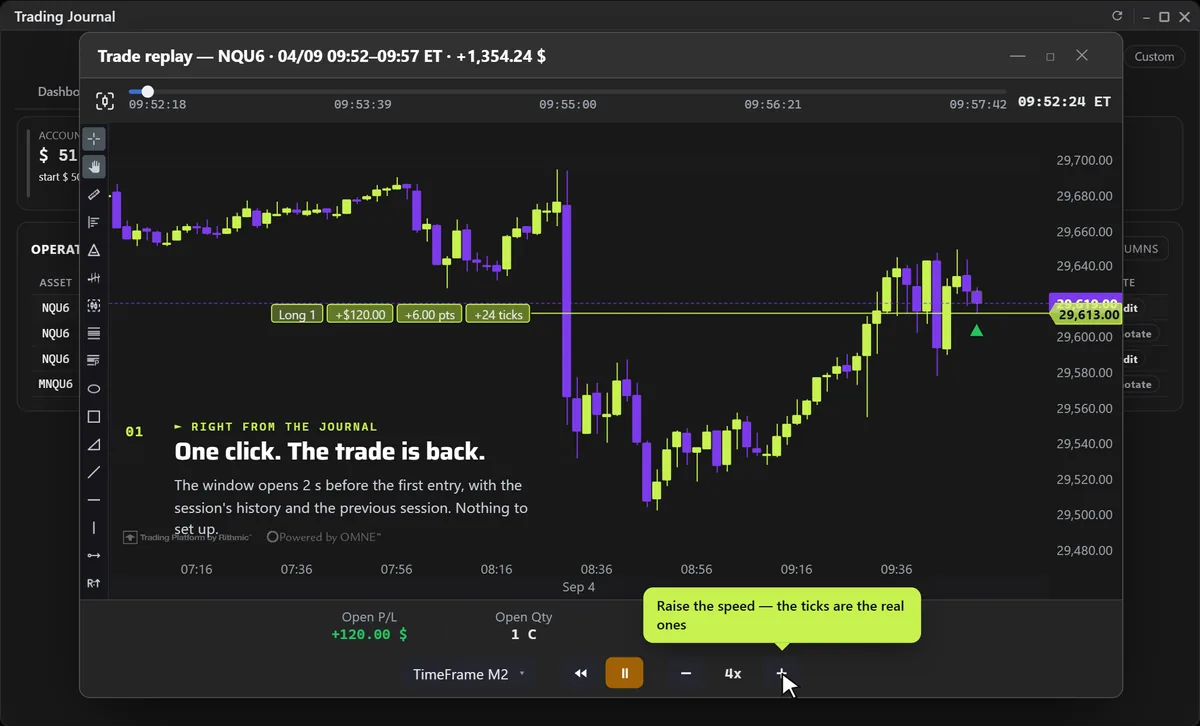
  • ► right from the Journal — Every trade in the table opens in the replay with one click, in its own window, on the platform's chart.
  • Your speed — From slow motion to dozens of ×, pause and resume anywhere; the progress bar jumps to any point.
  • Any chart — Switch type (TimeFrame, Renko, Tick, Delta) and size DURING the replay, with the same picker as the normal chart.
Explore Trade Replay →+3 on the page

Ask. The chart obeys.

  • It sees what you see — Workspace, open charts, indicators, drawings, candles on any timeframe, session volume profile, big trades, quote and the economic calendar. The assistant can read all of it.
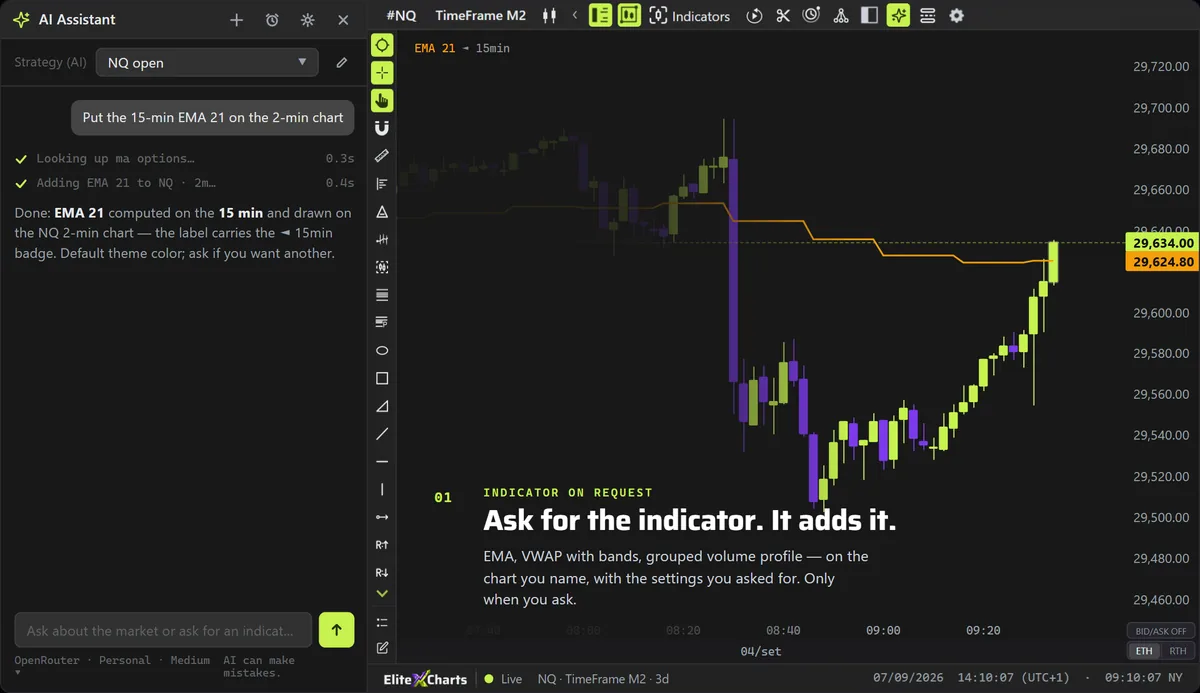
  • Adds indicators on request — "Put a VWAP with bands on the NQ", "EMA 9 and 21 on the 5-minute", "volume profile grouped by 4 ticks": it adds, adjusts, hides or removes the indicator, on the chart you name.
  • Draws on the chart — Support, resistance, trend lines, fib from the low to the high, rectangle, channel, text, arrow, all anchored to the session's real prices and times.
Explore AI Assistant →+4 on the page

Your setup will never be the same.

Every feature on every plan: 6 months, 1 year or lifetime. Until Dec 31, at founder pricing. The risk of staying out is trading another year on the wrong platform.

See plans & pricing

Before you subscribe

Do you have a Rithmic account?

For now, EliteXCharts only works with Rithmic data: the login from your broker or your prop firm.