Type at a glance
Funded, Approved, Evaluation, Broken and Simulation. The type organizes the table, and the filter on top shows only the ones you want.
Accounts
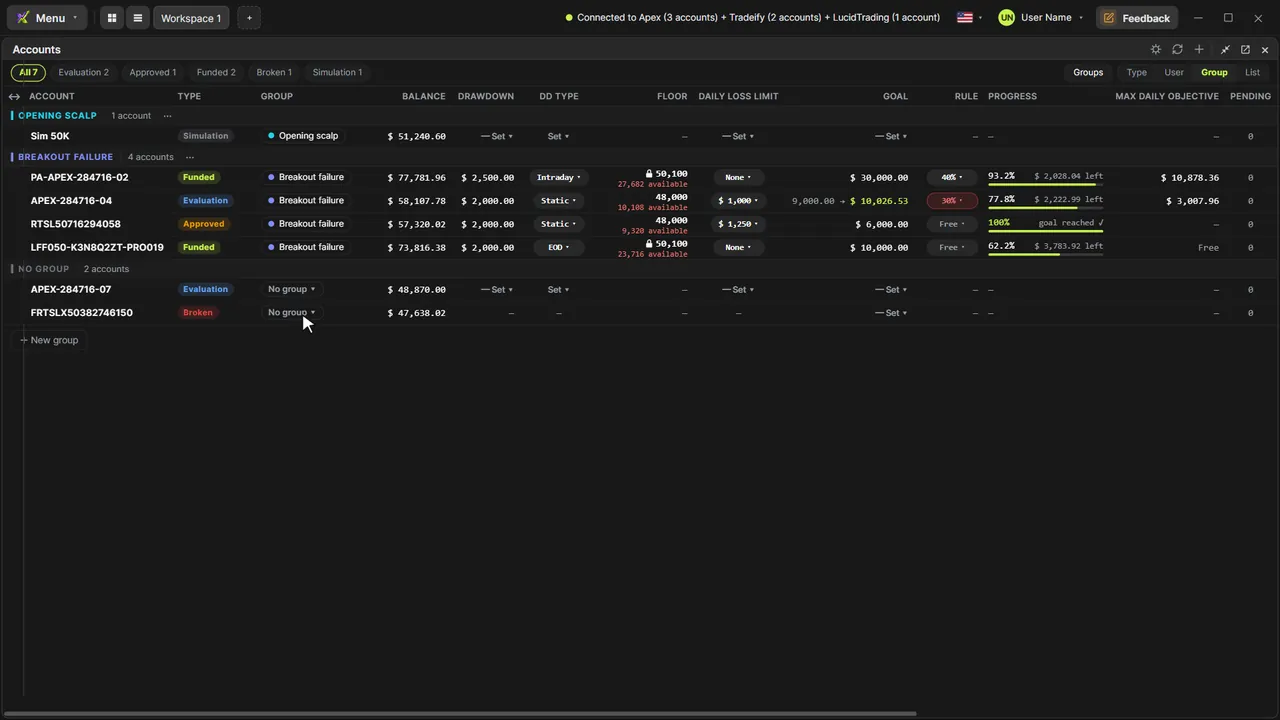
Evaluation, funded, approved, broken and simulation, from every Rithmic login, in one widget. Organize by login or by the group you create and set the goal with the consistency rule. When an evaluation hits its goal, it turns Approved on its own and you get a heads-up.
Funded, Approved, Evaluation, Broken and Simulation. The type organizes the table, and the filter on top shows only the ones you want.
Organize → User puts each login's accounts together; Group shows your own groups, each with a name and color; List drops the headers.
Goal in $ and the firm's rule (Free or 20–50%) right in the cell: Progress, what's left and the Max daily objective; if your best day breaks the rule, the goal shows recomputed, unless the increase would be $100 or less, the margin firms allow.
The drawdown and its type (EOD, intraday or static), the floor with how much you can still lose (with a padlock when the funded account locks) and the daily loss limit, all in the table. The account that touches the floor turns Broken by itself.
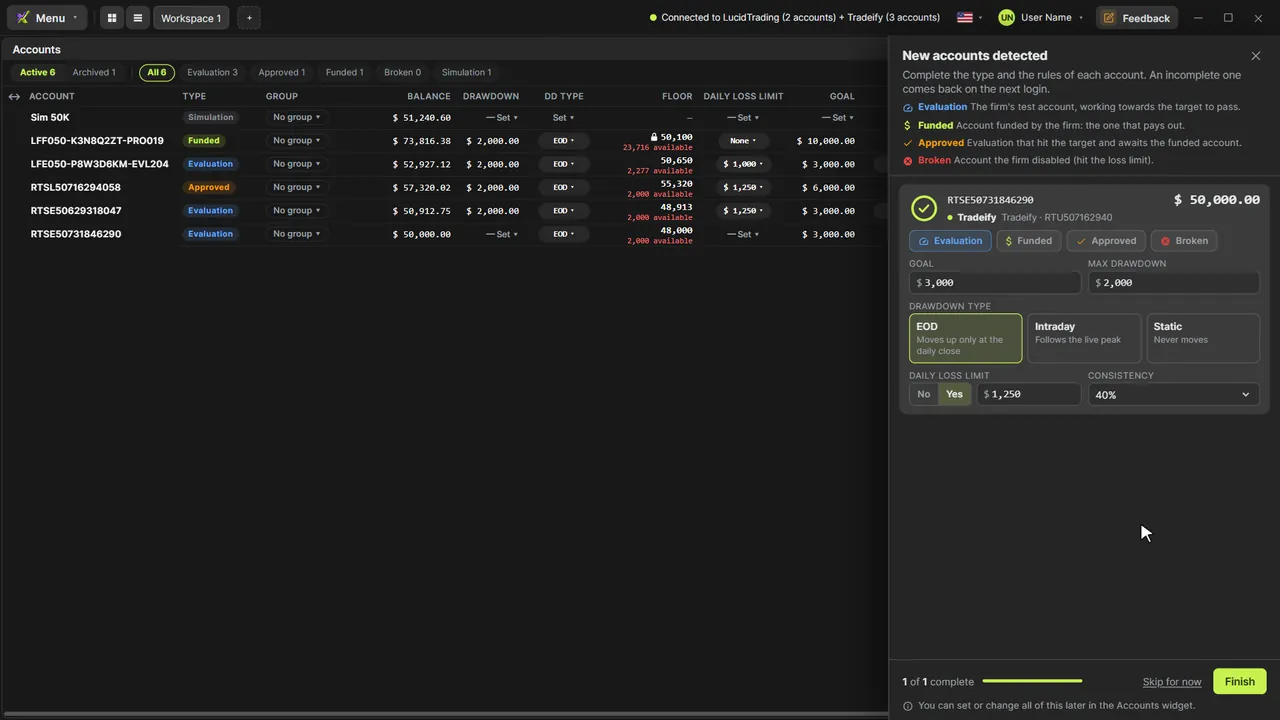
The evaluation that hits its goal, with the rule already counted, turns Approved right away, with the corner card and a short achievement sound.
An account that left the login moves to Archived: read-only, with the date it left and its last balance.
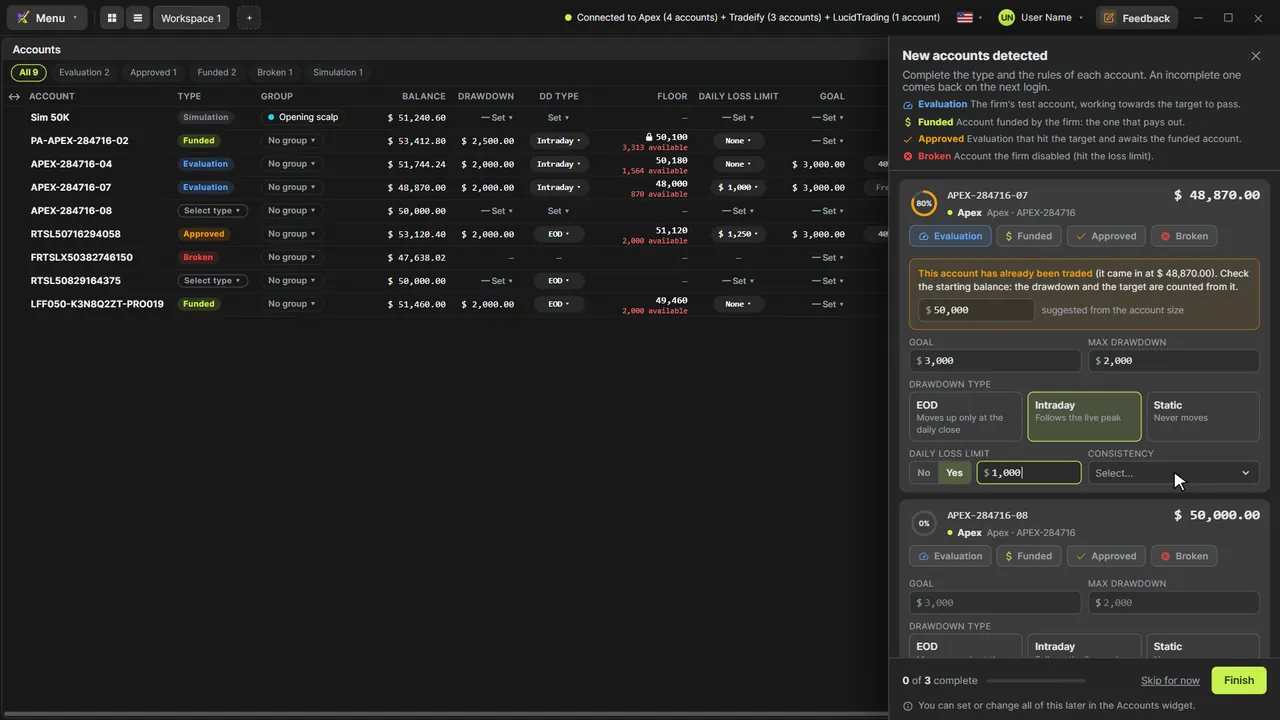
A new account opens the New accounts detected drawer: type, goal, max drawdown and its type (EOD, intraday or static), daily loss limit and consistency, plus the starting balance when it arrives already traded. The ring shows what's left, and the drawer comes back at every login until the card is complete.
Right-click the account → Account rules… opens the same card to change everything later. Type, goal and rules sync to the cloud.
Video tutorials
Step by step, with real data. The ones tagged “More tutorials” cover other topics.
Order flow
The market as it is, tick by tick
Footprint
13 ready-made versions, 1 to 4 columns, ticks grouped on NQ
Candle types
TimeFrame, Renko, Tick and Delta: the same market
Chart Trading
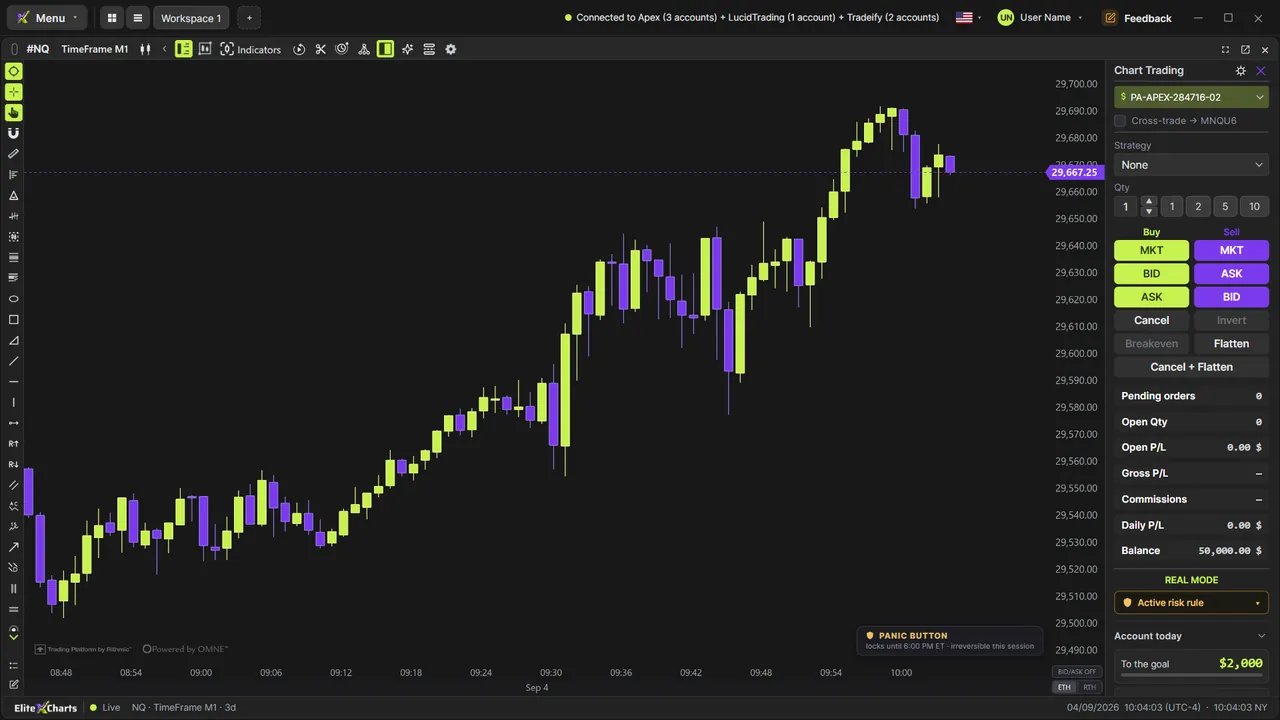
Manage the whole trade on the chart
Cross Trade
Analyze on the mini, execute on the micro
Copy Trading
One execution, every account
Risk Manager
The rule blocks BEFORE the order leaves
Trade Replay
Relive every trade tick by tick
Market Replay
Any day that already happened, tick by tick
Trading Journal
Where your discipline becomes a number
Session Clock & News
Never get caught by a news release again
AI Assistant
Ask. The chart obeys.
6 months, 1 year or lifetime: you only choose for how long. Until Dec 31, at founder pricing.
See plans & pricing