TP/SL partials on the order
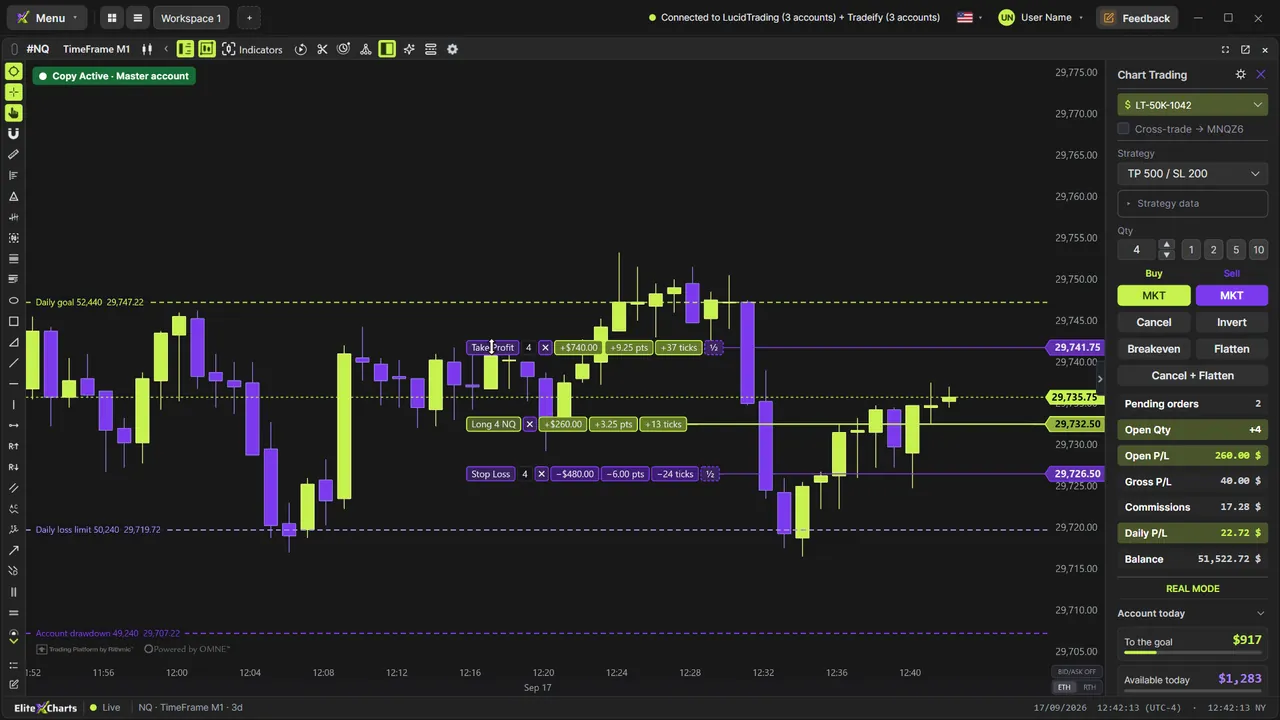
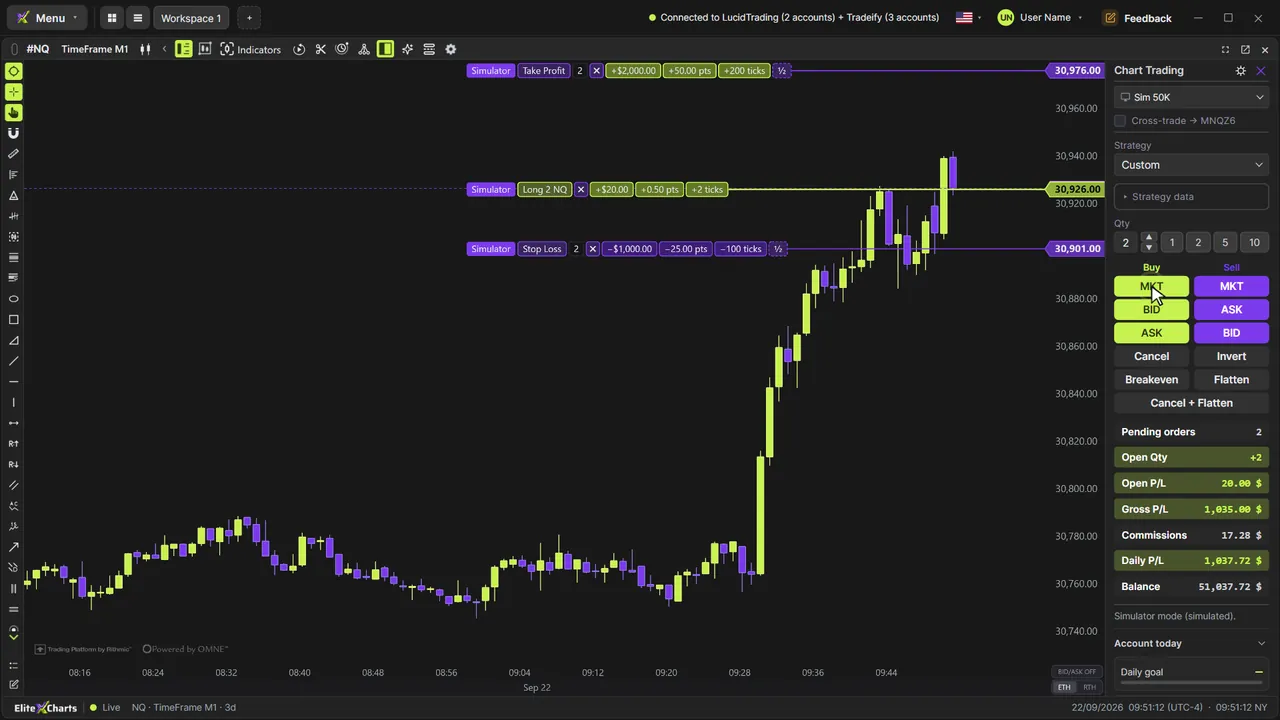
Split target or stop into partial exits right on the order line, on the chart. A house exclusive.
Execution
Clicking orders on the candle is the easy part. Here you manage the WHOLE trade on the chart: split your TP or SL into partials right on the chart order, adjust a pending order's OCO before it even fills, drag everything. Features no other platform gives you on the chart.





◆ Anatomy · Chart Trading
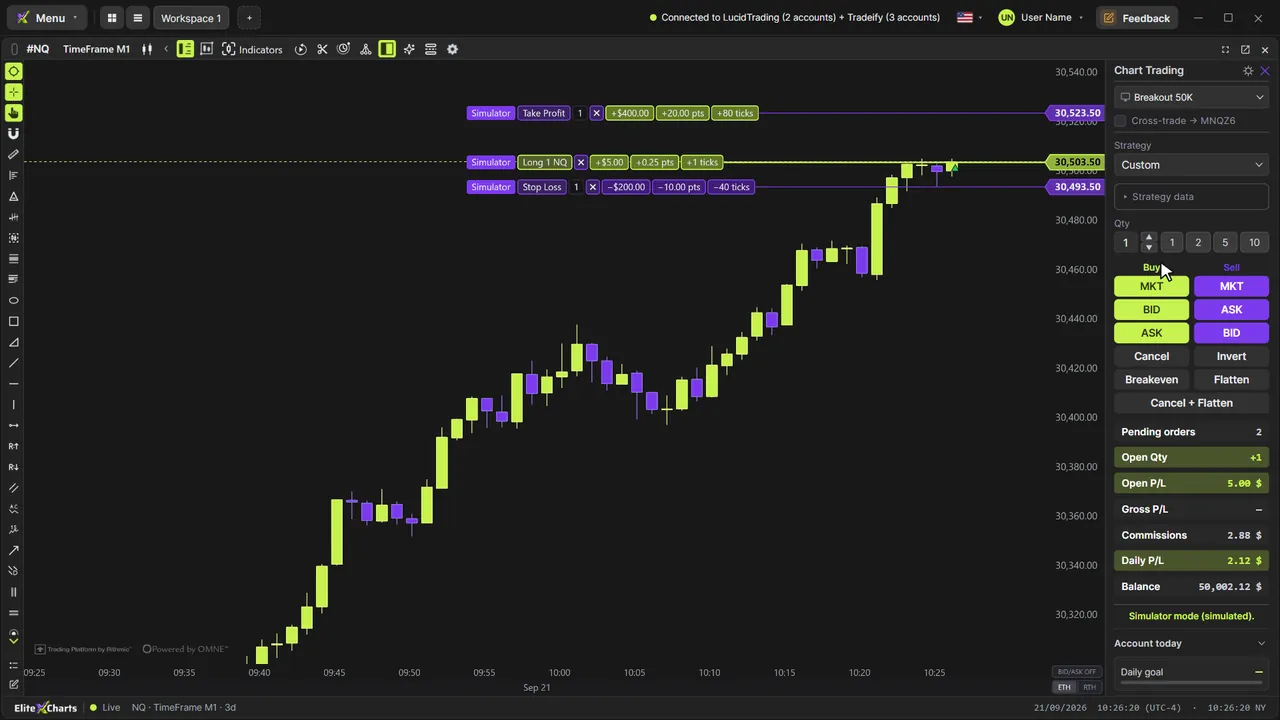
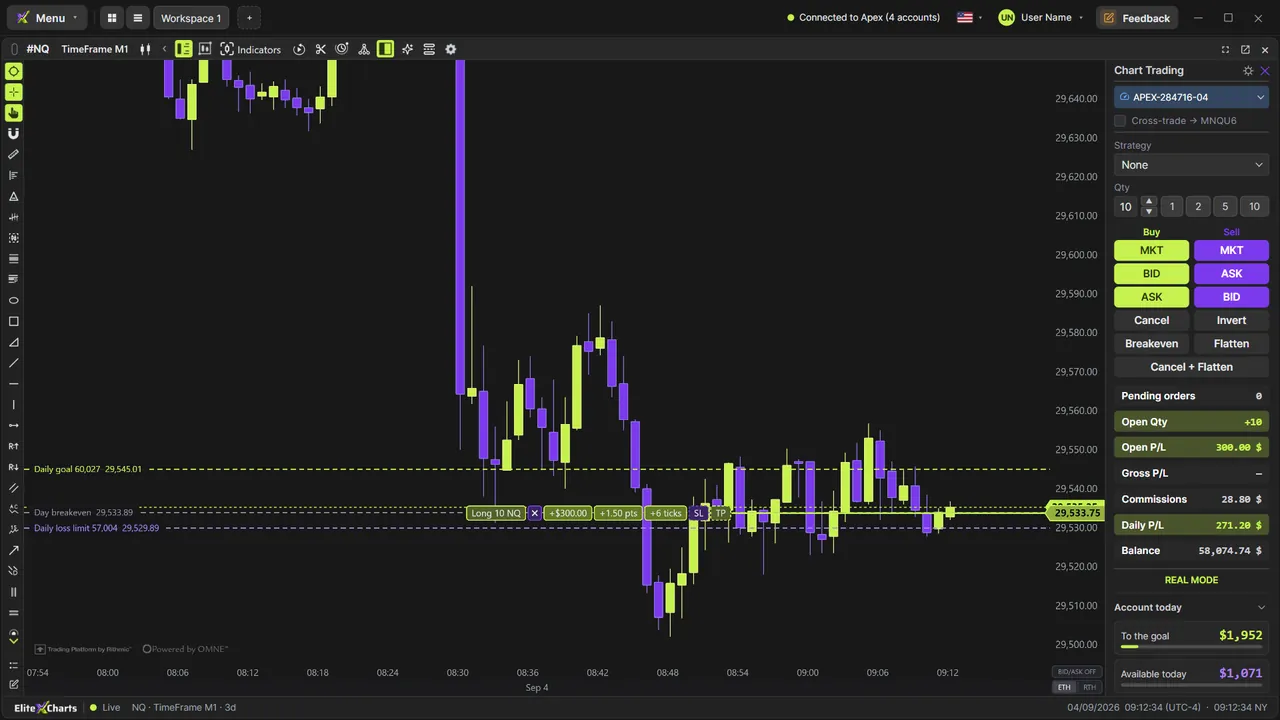
The execution panel from the inside: what each part does and what changes when you're in a position, in profit, in a loss, with an order waiting or with the account locked. Switch the example and watch the panel follow.
Split target or stop into partial exits right on the order line, on the chart. A house exclusive.
The pending order is born with TP and SL attached; adjust everything BEFORE it fills.
Shift+click buys and Alt+click sells at the clicked price (limit or stop by the side of the price), live BID and ASK on the chart and Invert in a single order; drag it, and it changes at the broker.
Every Rithmic login in one picker, the ones in a position first with live P&L; the panel takes the account's color, and nothing leaks between accounts.
Right below the Balance, the Account today block shows how much is left to the goal and how much you can still lose today. Each row (Daily goal, Daily limit, Drawdown, Breakeven) has an eye that turns its line on the chart, at the exact price for the open position, and the field changes the goal or the limit for today only.
Direct R|Protocol, with no bridge and no middleman latency.
Stop to breakeven in one click; named simulator accounts with realistic costs.
Video tutorials
Step by step, with real data. The ones tagged “More tutorials” cover other topics.
Order flow
The market as it is, tick by tick
Footprint
13 ready-made versions, 1 to 4 columns, ticks grouped on NQ
Candle types
TimeFrame, Renko, Tick and Delta: the same market
Cross Trade
Analyze on the mini, execute on the micro
Copy Trading
One execution, every account
Risk Manager
The rule blocks BEFORE the order leaves
Trade Replay
Relive every trade tick by tick
Market Replay
Any day that already happened, tick by tick
Trading Journal
Where your discipline becomes a number
Accounts
Every account in its place
Session Clock & News
Never get caught by a news release again
AI Assistant
Ask. The chart obeys.
6 months, 1 year or lifetime: you only choose for how long. Until Dec 31, at founder pricing.
See plans & pricing