
Skip to contentFounder pricinguntil Dec 31Batch 1 of 3–days–hours–min–secSee the plans ↗︎

Footprint, tailored

13 ready-made versions. And the footprint your way.

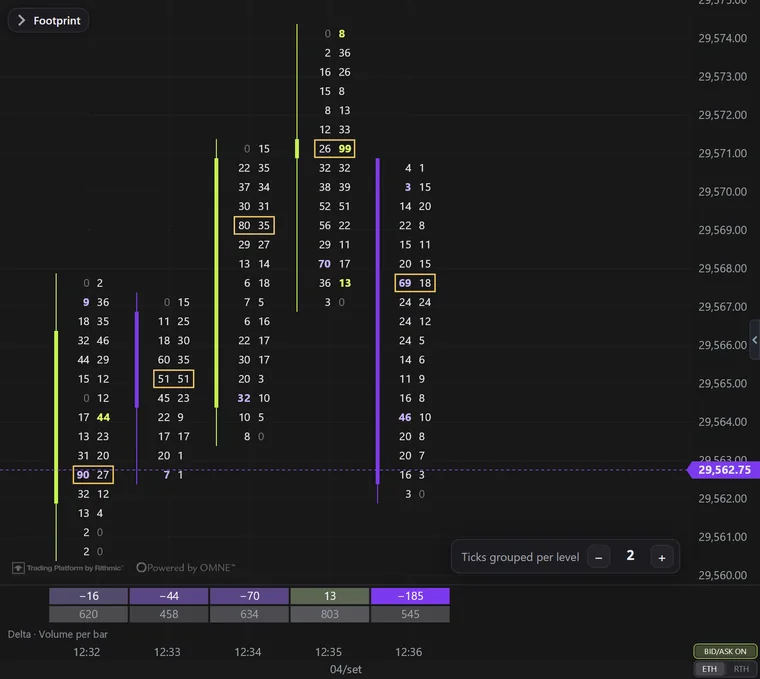
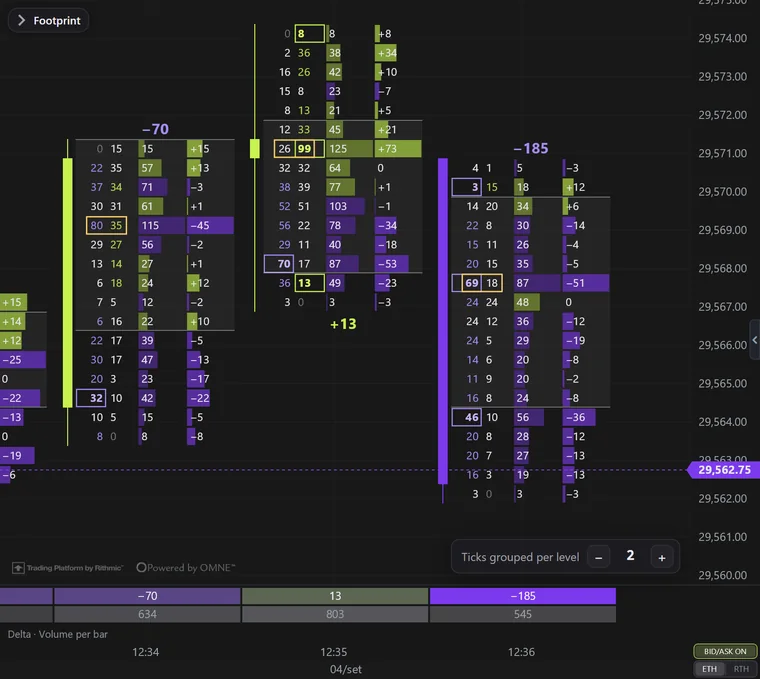
The footprint opens ready to read: numbers colored by the diagonal, a framed candle and the delta as a profile next to it. Below the chart sit 13 ready-made versions, each with its caption on hover. And on NQ and MNQ, the ticks come grouped per level so the whole candle fits on screen.

Ticks grouped per level · NQ and MNQ

The whole NQ candle on screen, numbers still readable.

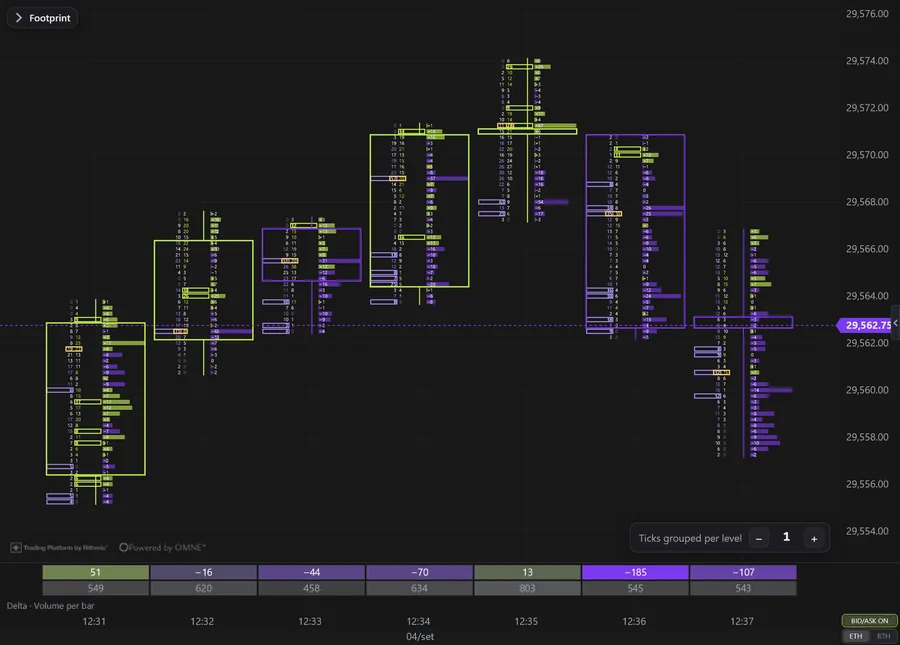
A 1-minute NQ candle easily runs past 30 price levels. At one tick per level, you either zoom in and lose sight of the candle, or zoom out and the numbers vanish.

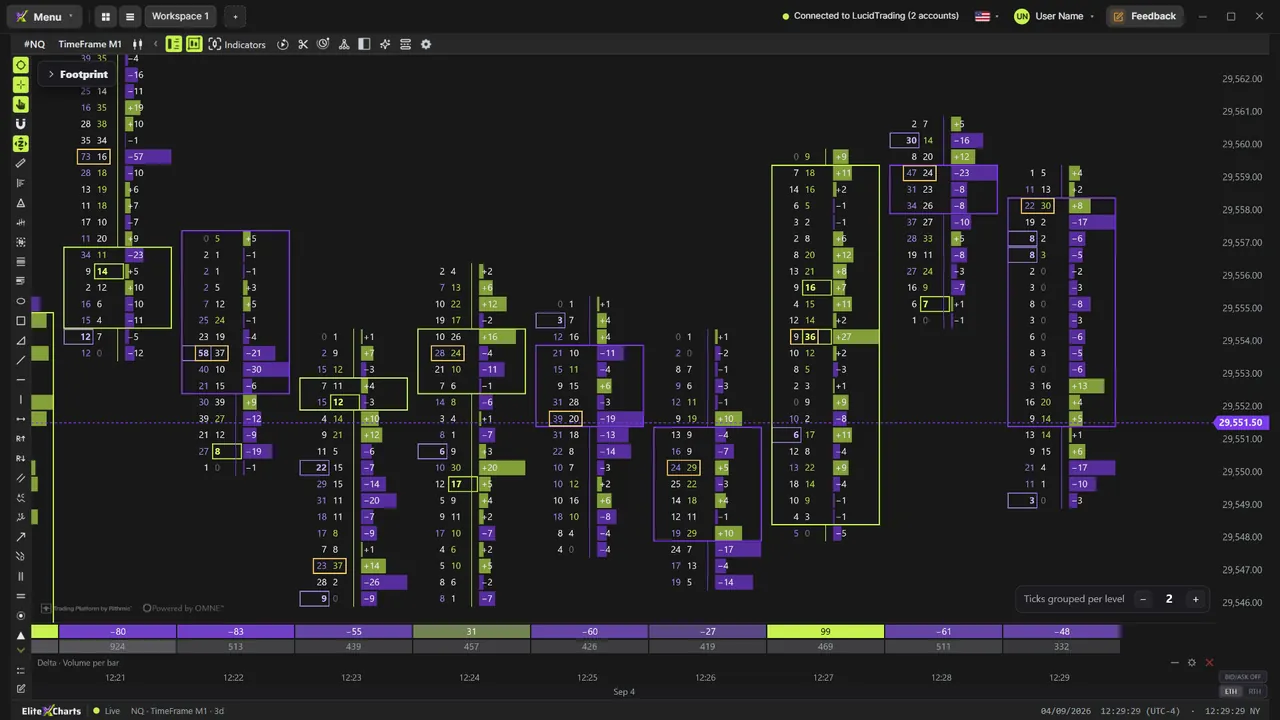
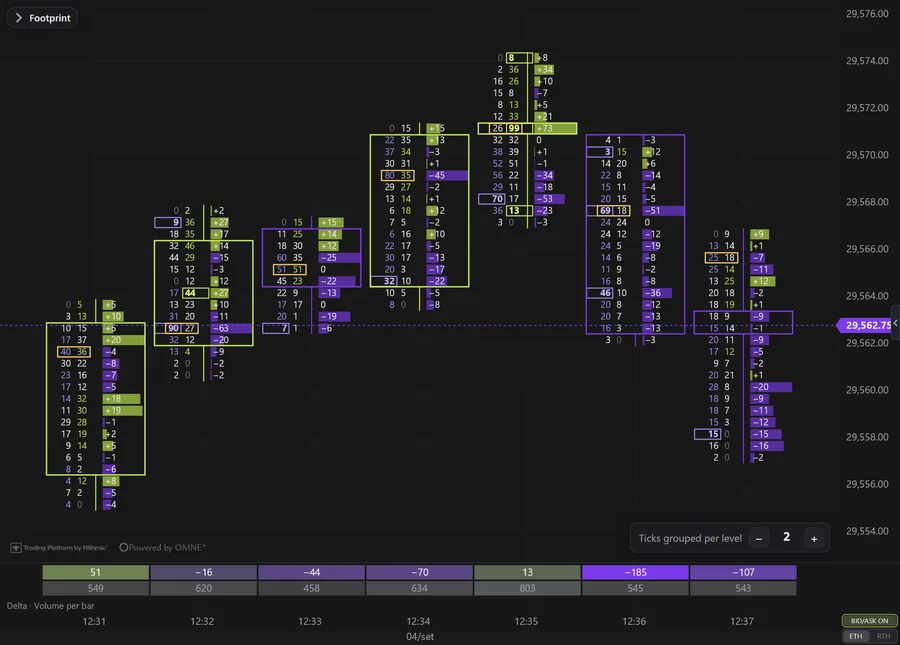
That's why, on NQ and MNQ, the footprint opens with 2 ticks per level. In the chart corner, − and + change it instantly, from 1 to 50, and each level shows the exact sum of the ticks it groups.

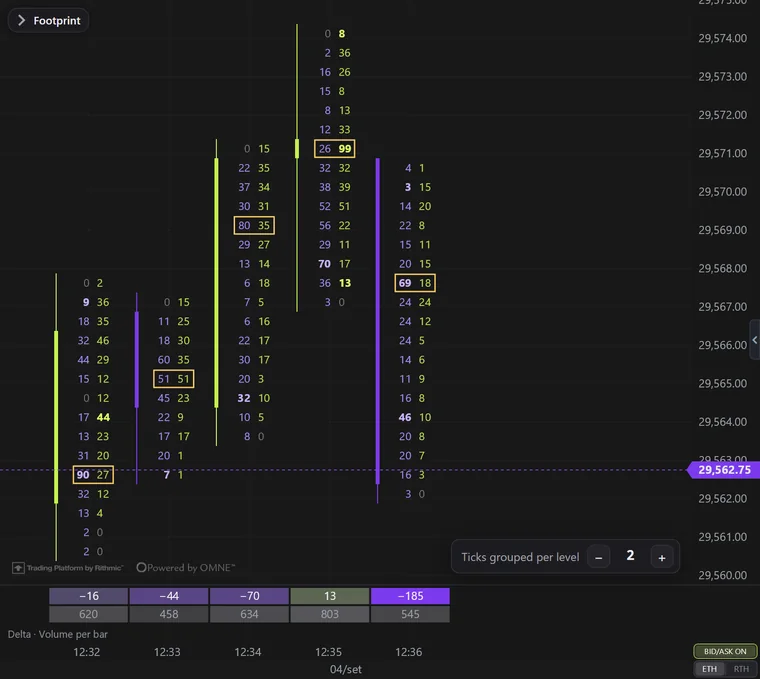
1 tick per level: The same slice of the chart: the numbers get squeezed.

1 tick per level

The same slice of the chart: the numbers get squeezed.

2 ticks per level: The NQ and MNQ default: the whole candle and readable numbers.

2 ticks per levelDefault on NQ and MNQ

The NQ and MNQ default: the whole candle and readable numbers.

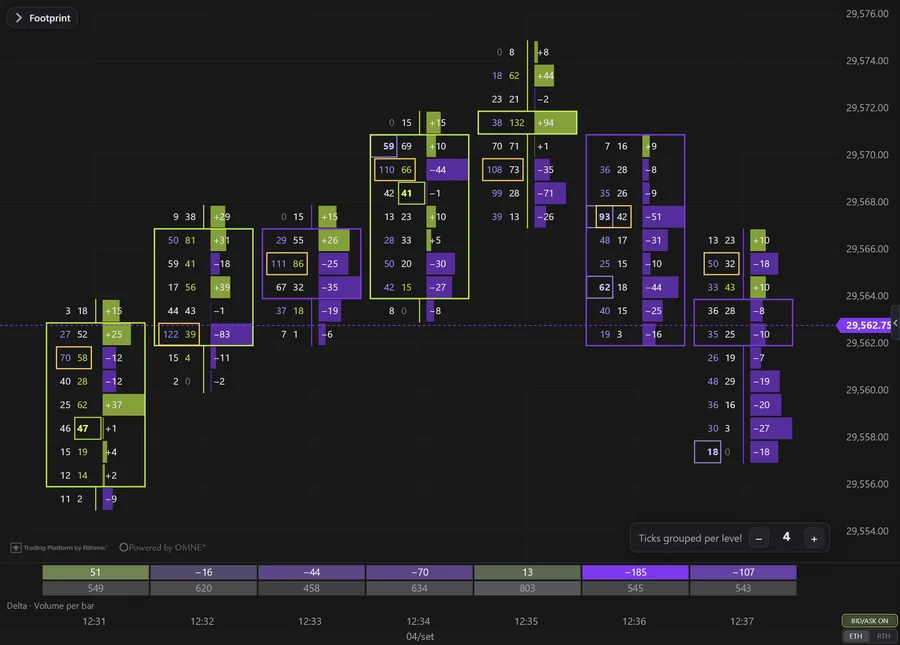
4 ticks per level: 1 point per level: fewer rows and bigger numbers.

4 ticks per level

1 point per level: fewer rows and bigger numbers.

On other symbols, the footprint opens with 1 tick per level, with the same − and + in the corner.

13 ready-made versions

Thirteen ways to read the same candle.

With the footprint menu open, the bar below the chart holds the 13 versions. Hover and the caption explains each one. One click and the whole footprint changes. Then tweak anything in the menu and save it as the default or as a template, which becomes a button next to the 13.

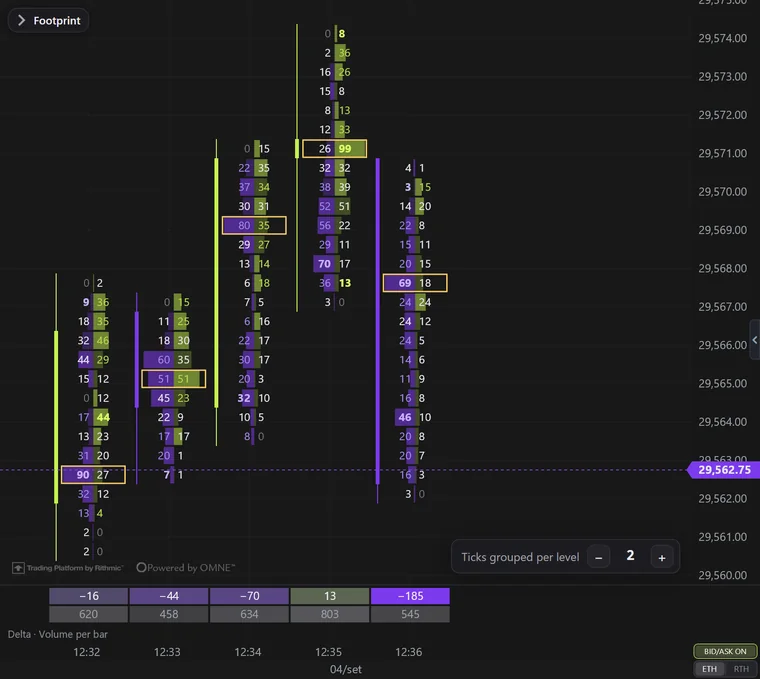
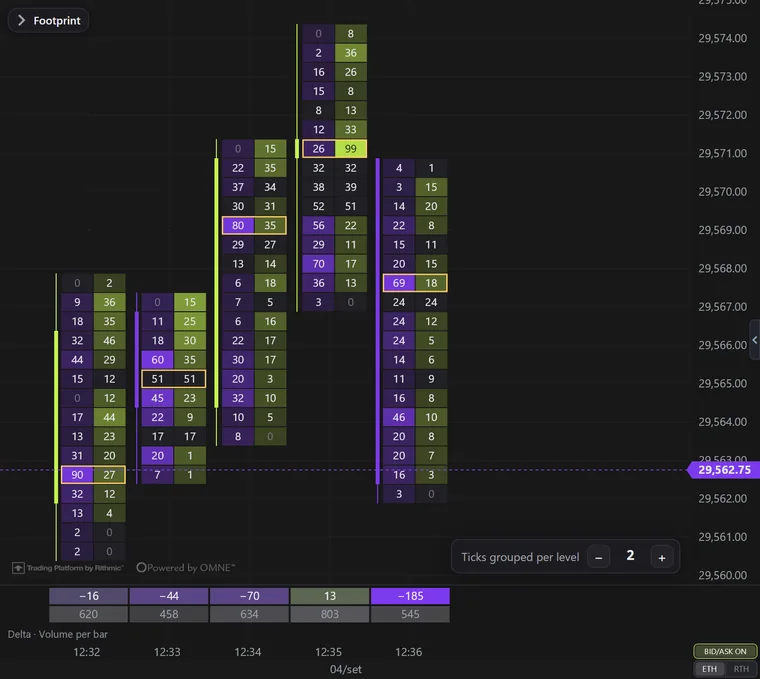
1 · B/A frame: Numbers only · framed candle · Delta Profile

1 · B/A frameDefault

Numbers only · framed candle · Delta Profile

Two columns per bar. The first has the numbers colored by the diagonal, the candle body framing them, the wick coming out of the middle and an outline on imbalances. The second has the delta as a profile. It is the default.
2 · B/A+VP+DP: Bid × Ask with Volume and Delta Profile

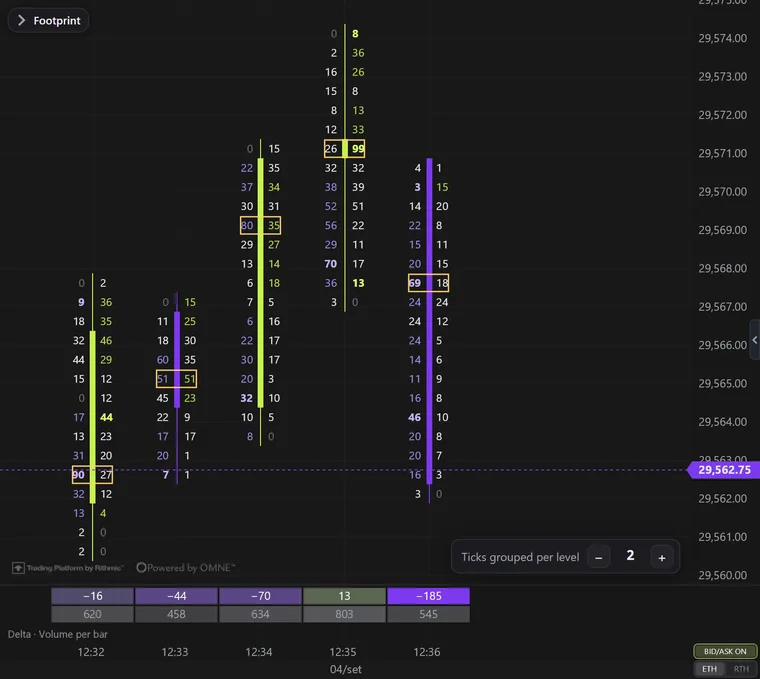
2 · B/A+VP+DP

Bid × Ask with Volume and Delta Profile

The numbers colored by the diagonal, strong, bold and outlined on an imbalance, with the bar's Volume Profile and Delta Profile next to them. Shaded value area, POC in a yellow box, bar Σ delta and candle on the left.

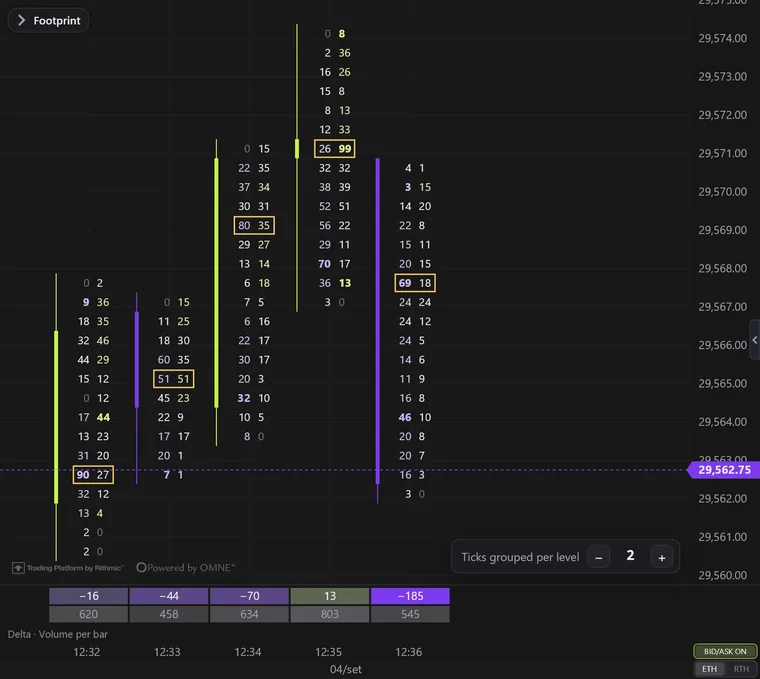
3 · B/A sides: Numbers only · each side always in its color

3 · B/A sides

Numbers only · each side always in its color

Bid always violet, ask always lime; the imbalance turns strong and bold.

4 · B/A imb: Numbers only · only the imbalance colored

4 · B/A imb

Numbers only · only the imbalance colored

Everything white except the imbalance — the cleanest to read.

5 · B/A strength: Numbers only · intensity by strength

5 · B/A strength

Numbers only · intensity by strength

The more one side beats the other on the diagonal, the stronger the number's color.

6 · B/A channel: Numbers only · candle in the middle channel

6 · B/A channel

Numbers only · candle in the middle channel

Diagonal color, with the candle in the middle, between the bid and the ask.

7 · B/A dynamic: Numbers only · dynamic size

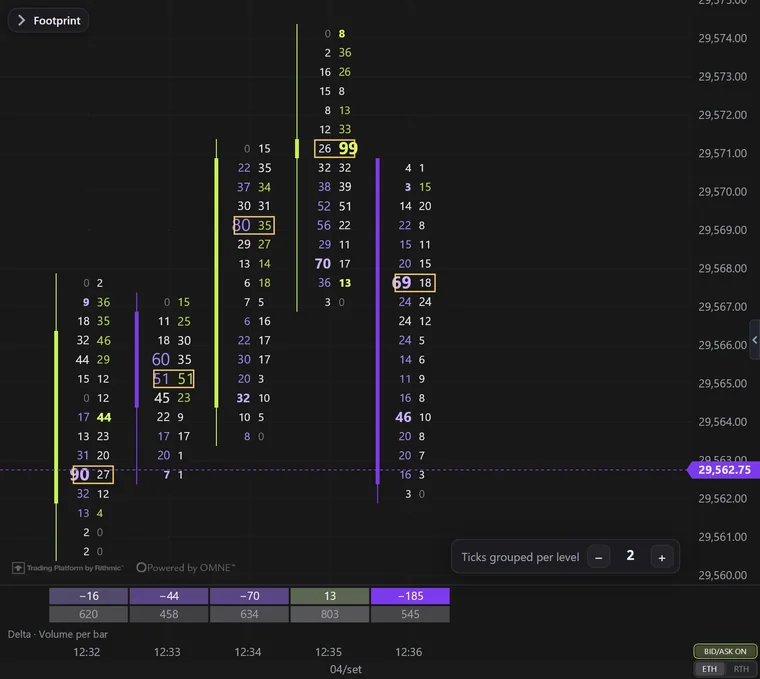
7 · B/A dynamic

Numbers only · dynamic size

Diagonal color, with a bigger number where the volume is large.

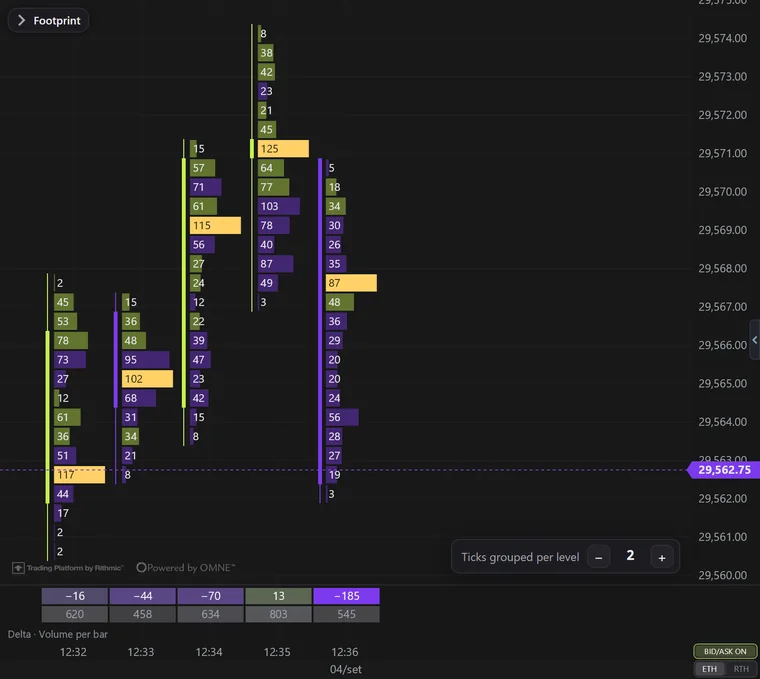
8 · VP: Volume Profile in the candle

8 · VP

Volume Profile in the candle

Total volume per level as a bar, colored by the side that won; POC filled in yellow.

9 · B/A profile: Bid/Ask as a profile

9 · B/A profile

Bid/Ask as a profile

The bid × ask numbers with a bar the size of each side behind them.

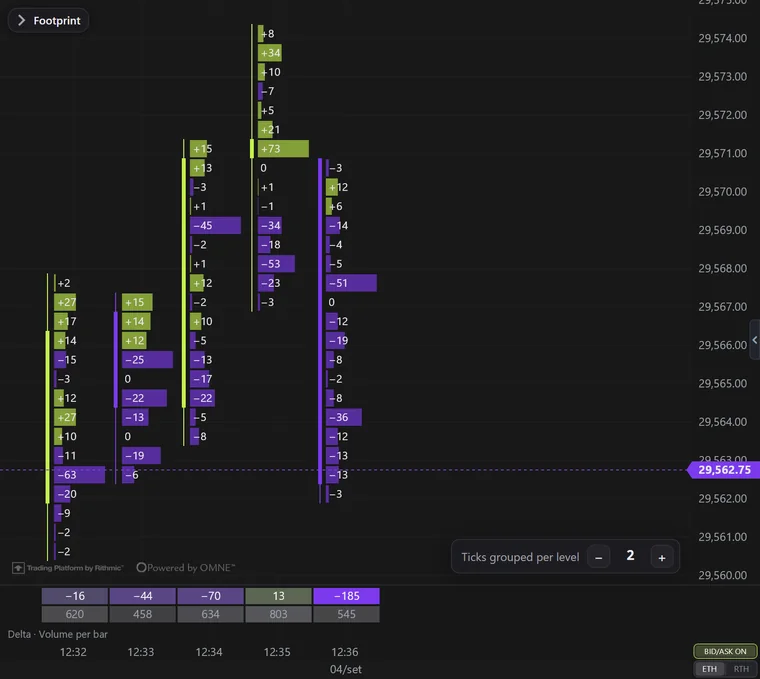
10 · DP: Delta Profile

10 · DP

Delta Profile

Delta per level with a lime (buy) or violet (sell) bar.

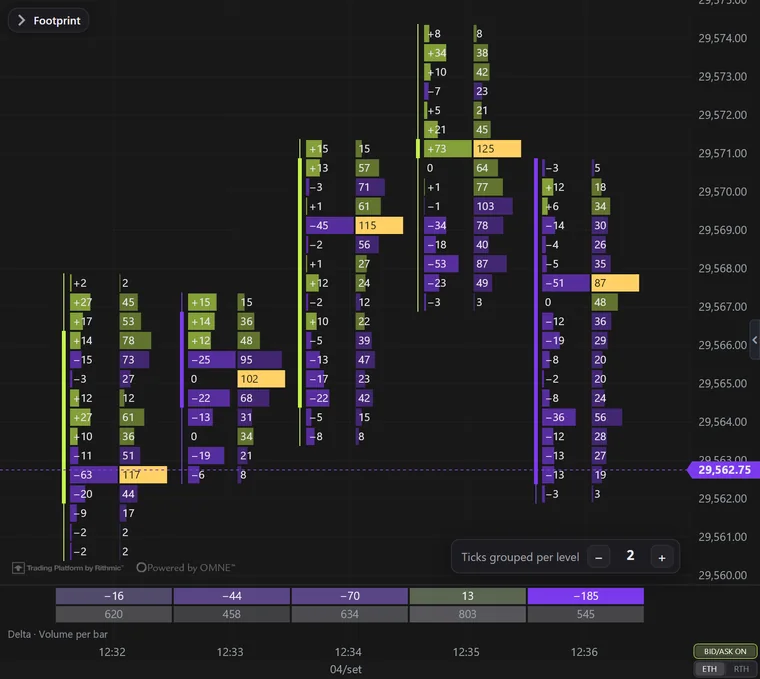
11 · DP+VP: Delta Profile + Volume Profile

11 · DP+VP

Delta Profile + Volume Profile

Two columns per bar: the delta on the left and the volume on the right.

12 · Box B/A: Box mode · Bid × Ask

12 · Box B/A

Box mode · Bid × Ask

Each side in a box colored by the delta strength; dark text on strong colors.

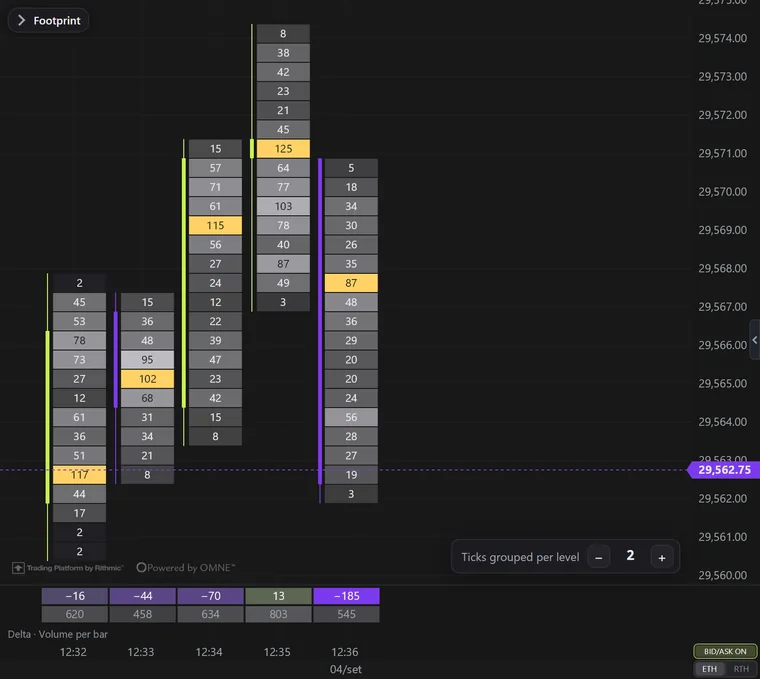
13 · Box VP: Box mode · Volume

13 · Box VP

Box mode · Volume

One box per level, lighter the bigger the volume; POC in yellow.

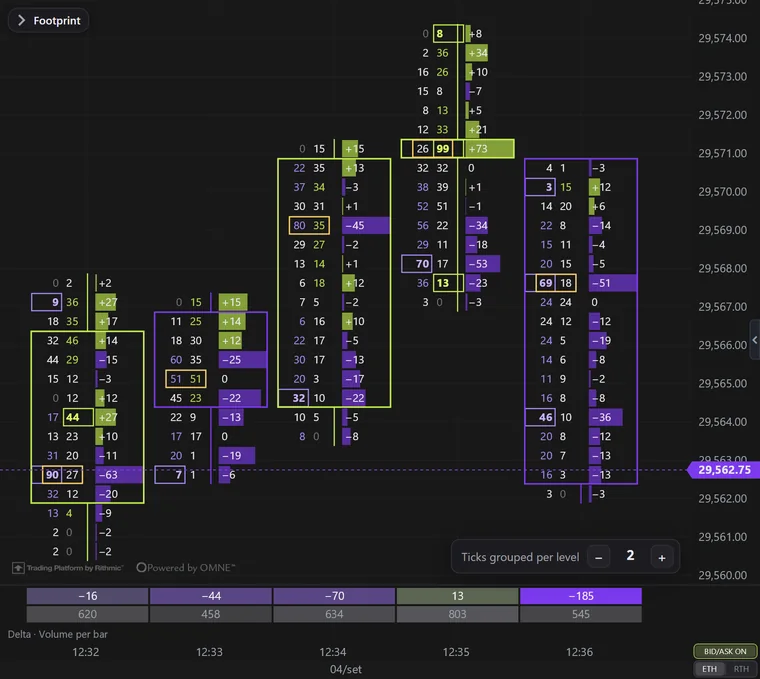
Platform screenshots with real NQ trades from Sep 4, 2026, 1-minute bars and 2 ticks per level.

What's inside

13 versions, one click each

Numbers only, bid × ask as a profile, Volume Profile and Delta Profile in the candle, box mode and more. The caption on hover explains each one.

Ticks grouped per level

On NQ and MNQ, the footprint opens with 2 ticks per level. The − and + in the chart corner change it instantly, from 1 to 50.

1 to 4 columns per bar

Each column shows bid × ask, volume, delta or delta with total volume, as boxes or as a profile.

Diagonal colors

The ask is compared with the bid one level down, the bid with the ask one level up. The winner gets colored; an imbalance turns strong, bold and outlined.

POC, value area and Σ delta

Volume POC and delta POC, value area at the % you choose, single prints, ratio at the ends and the bar's Σ delta.

The candle where you want it

Left, right, in the middle channel, as a frame around the numbers, or no candle at all.

Delta · Volume per bar

Opens below the chart every time you enter the footprint: each candle's delta on the heat ramp, plus its volume.

Default and templates

Tweak it in the menu, save it as the default for every chart or as a named template, which becomes a button next to the 13 versions.

Video tutorials

See it working in the platform

Step by step, with real data. The ones tagged “More tutorials” cover other topics.

Explore other features

See all →

All of this, on every plan.

6 months, 1 year or lifetime: you only choose for how long. Until Dec 31, at founder pricing.

See plans & pricing

Before you subscribe

Do you have a Rithmic account?

For now, EliteXCharts only works with Rithmic data: the login from your broker or your prop firm.