Accounts & risk · 1:49
Your desk in 5 minutes
Learn to set up your prop firm desk in EliteXCharts, from the login to the risk rule, in under 2 minutes.
Chapters
Step by step
- Connect your firm's Rithmic login (Apex, Lucid or Tradeify) and save the password encrypted
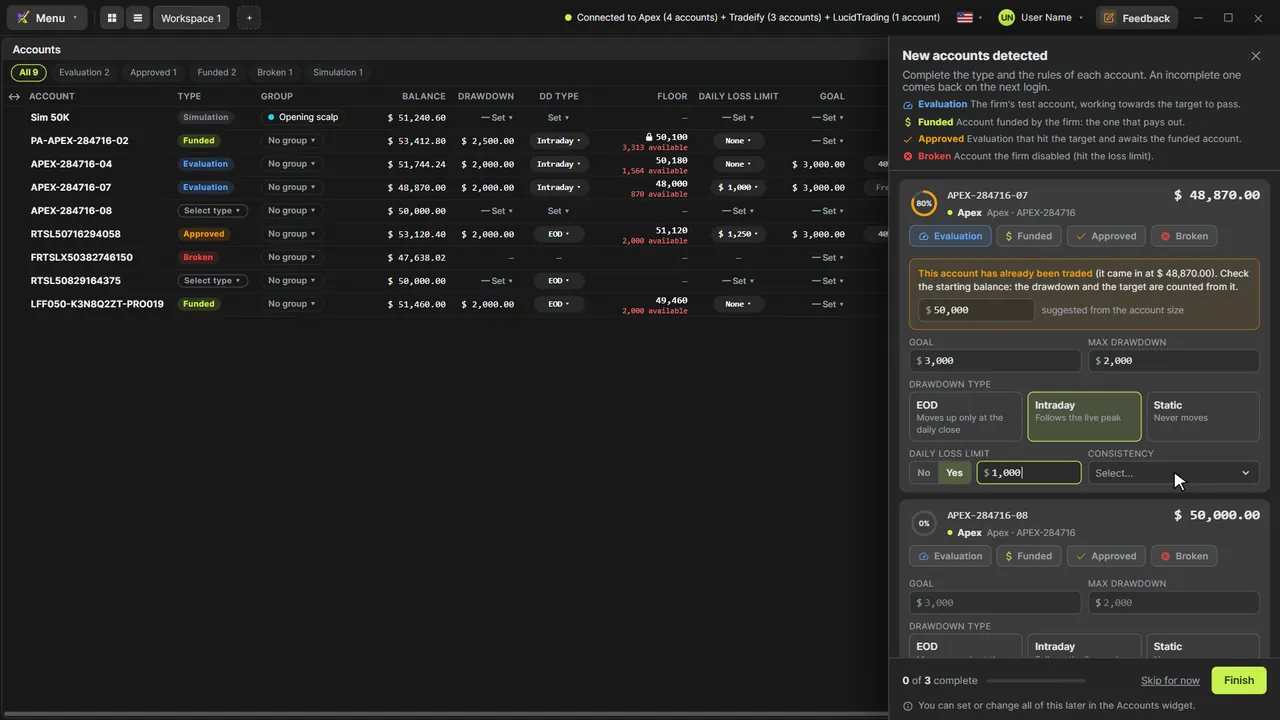
- Let the new accounts drawer list every account your login brought, one card each
- Pick each account's type: Funded, Evaluation, Approved or Broken
- Enter your firm's rules: goal, max drawdown and its type, daily loss limit and consistency
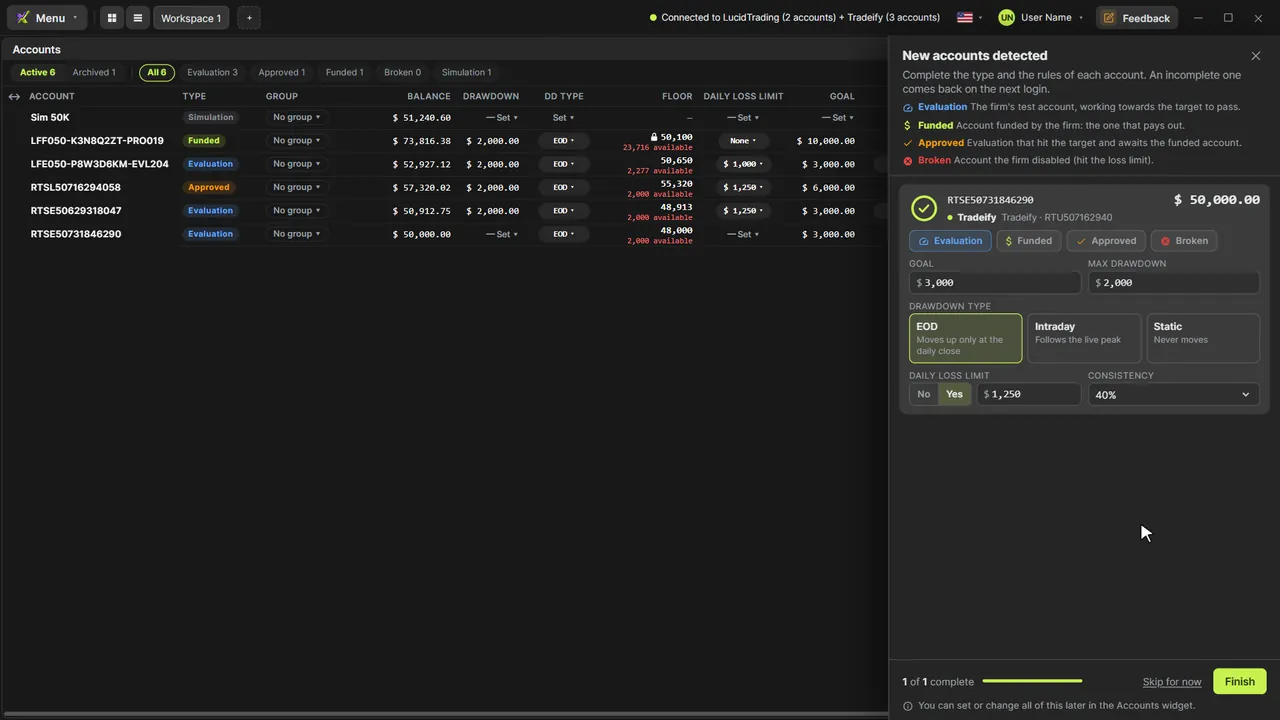
- Add your other firms the same way, and their accounts join the same drawer
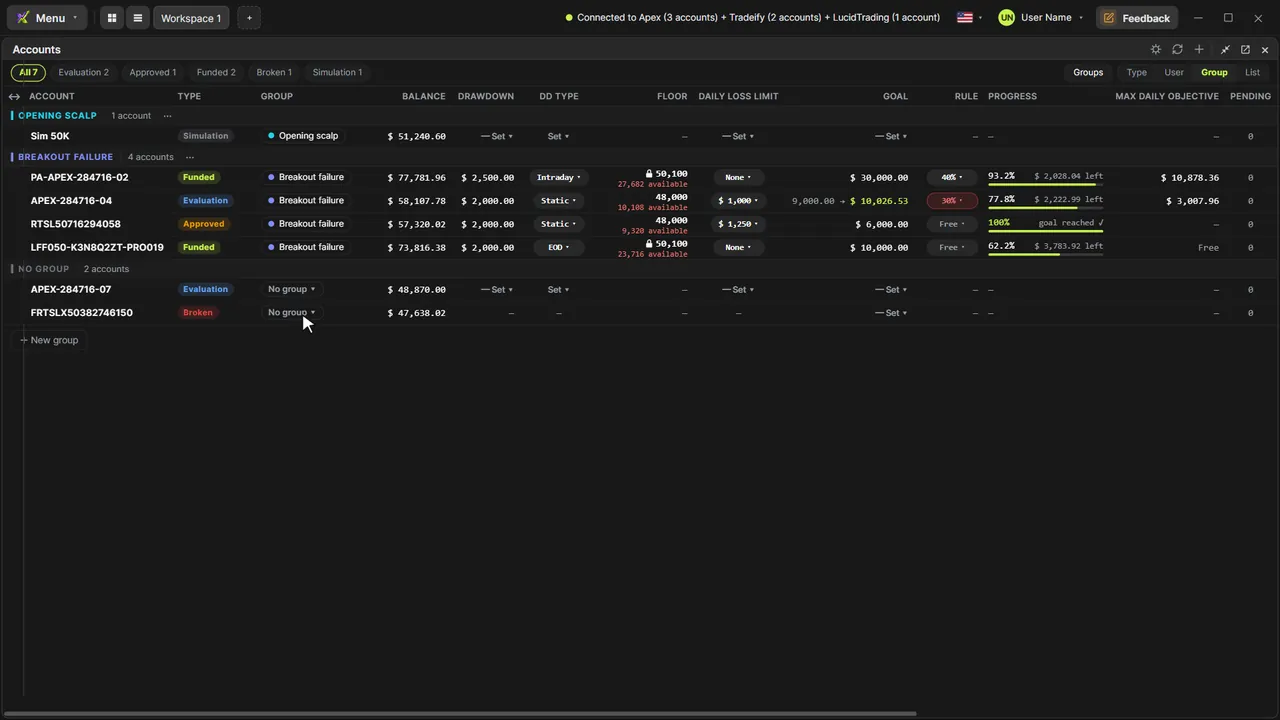
- Finish and find every account in the Accounts widget, with its floor and goal
- Create a Risk Manager rule for the funded accounts of two logins, locked until the session ends
- Pick the account in Chart Trading and see the active rule and the Panic Button on the chart
What the narrator says
0:08Welcome to EliteXCharts. In this video: your prop firm desk in five minutes, from the login to the risk rule.
0:16First, the login. Click Connect Rithmic account, then Add connection. Pick your firm in System, here Apex, type the username your firm sent you, and save.
0:28Click Connect and enter your password. It's saved encrypted on this machine, so next time it's one click.
Read the full transcript
0:35Connected. Your new accounts open in this drawer, one card each. Start with the type: Funded, Evaluation, Approved or Broken.
0:45Then the rules your firm gave you: the goal, the max drawdown and its type, the daily loss limit and the consistency. The ring fills as you go.
0:56Trade with Lucid and Tradeify too? Add their logins the same way, and their accounts join the same drawer.
1:04Fill them in and click Finish. All set: every account is in the Accounts widget, with its type, its floor and its goal.
1:13Now the safety net. In the Menu, open the Risk Manager and create a rule: the funded accounts, a max daily loss, a profit target and a cap on contracts.
1:24Activate it, and the rule locks until the session ends. No switching it off in the heat of the moment.
1:30Back on the chart, pick the account in Chart Trading: the active rule shows in the panel, and the panic button sits on the chart. Your desk is ready.
1:40That's your desk in EliteXCharts: the login, the accounts, their rules and a risk lock, in five minutes.