Accounts & risk · 2:38
Goal, consistency and drawdown
Learn to give each prop firm account its rules in EliteXCharts and track them live, in under 3 minutes.
Chapters
Step by step
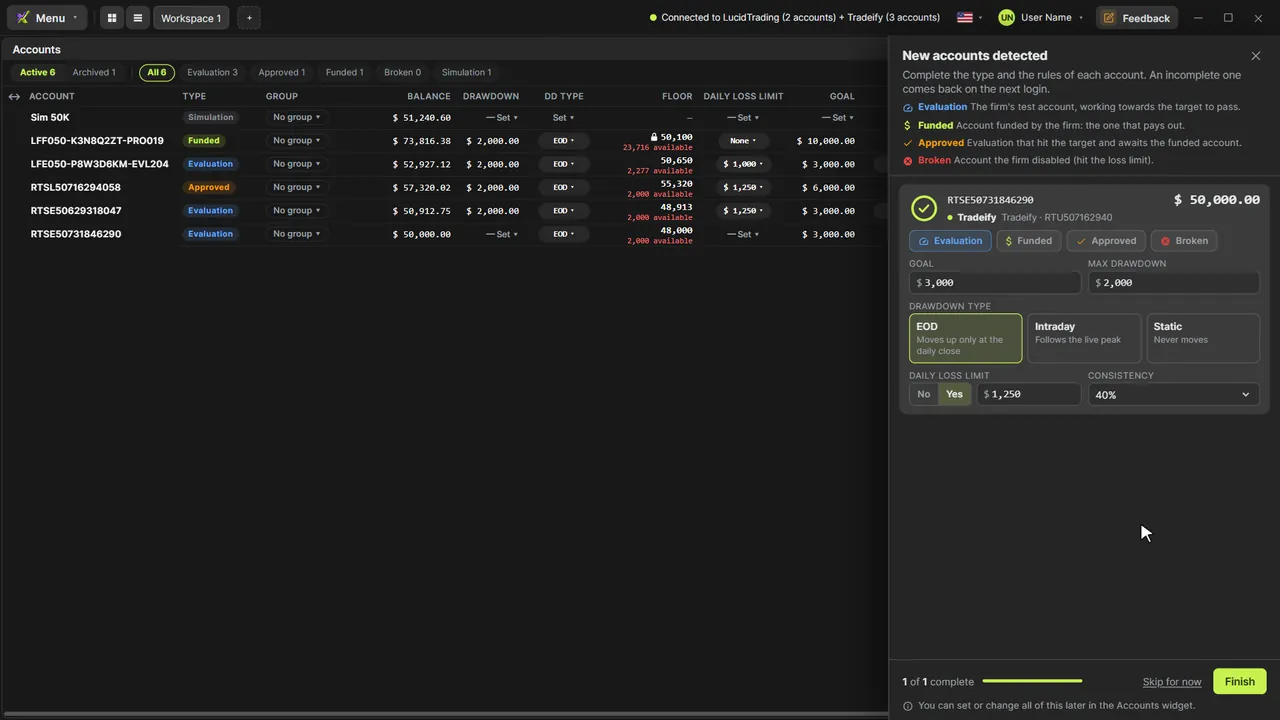
- Connect your Rithmic login: new accounts open a panel on the right, with a card for each one
- Pick the type, check the starting balance and enter the goal: $3,000 on this 50K evaluation
- Set the max drawdown and its type: EOD moves up at the close, Intraday follows the live peak, Static stays put
- Add the daily loss limit, if your firm has one, and the consistency rule that caps your best day
- Click Finish, see the warning for an account still missing something, and finish anyway
- Complete it later in Accounts: right-click, Account rules, or change any rule right in the table
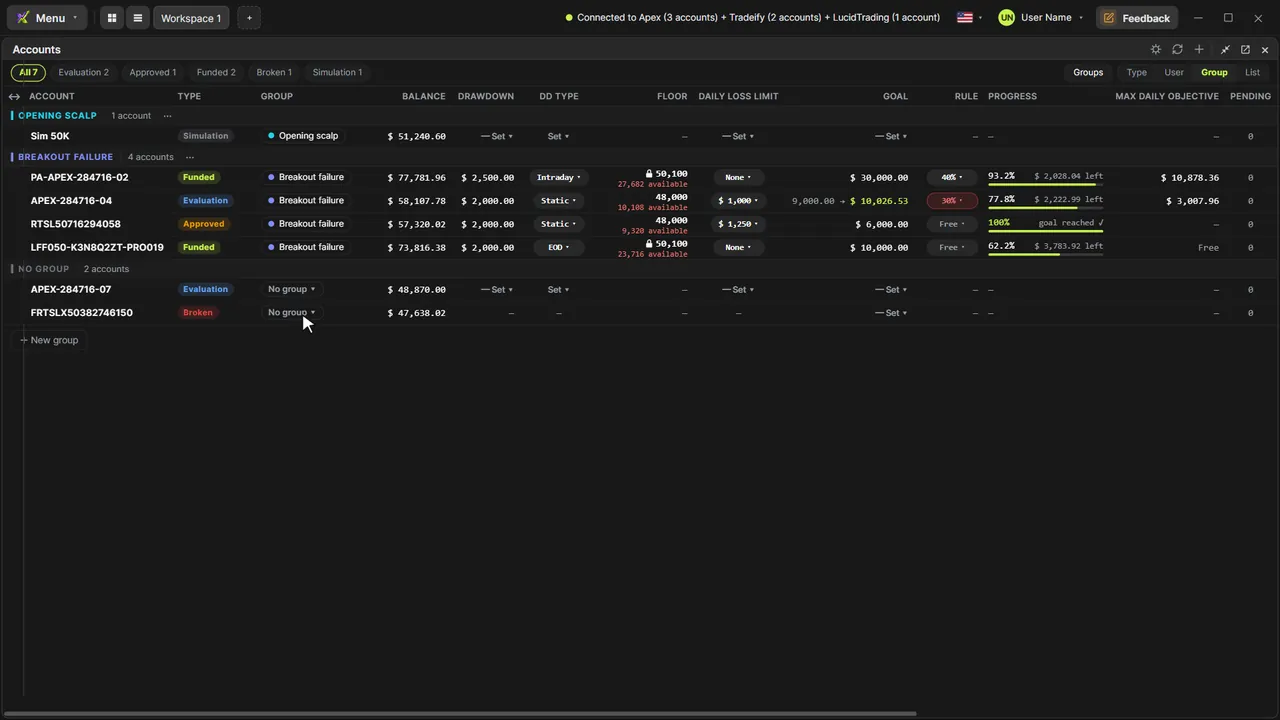
- Track the Floor, where the account blows today, and the funded lock at the starting balance plus $100
- Check your Progress, the Max daily objective, and the goal recomputed when your best day breaks the rule
What the narrator says
0:08Welcome to EliteXCharts. In this video, you'll give each prop account its rules: the goal, the consistency rule, the drawdown and the daily loss limit. Then the Accounts widget tracks them, live.
0:20When EliteXCharts connects to your Rithmic login and finds new accounts, this panel opens on the right, with a card for each one. Pick its type, then its rules.
0:31This one was already traded, so first check its starting balance: the goal and the drawdown are counted from it.
Read the full transcript
0:38Then the goal: the net profit your firm wants to see. Three thousand dollars on this fifty K evaluation.
0:45Next, the max drawdown, two thousand, and its type, which says how the floor moves. EOD moves up only at the daily close. Intraday follows the live peak. Static never moves.
0:58If your firm has a daily loss limit, choose Yes and type it. And the consistency rule: your best day can't be more than this share of the goal. Here, thirty percent.
1:09Fill in the others the same way. A Tradeify card already comes with EOD marked.
1:16Click Finish. If an account is still missing something, a warning lists it. Finish anyway: it comes back on the next login, and you can complete it any time in Accounts.
1:27Right-click the account and choose Account rules. This card holds every rule of the account.
1:33Fill in what's missing: the goal, the drawdown, the daily limit and the consistency rule. The ring closes.
1:42Close it, and the row shows every rule. You can also change any of them right in the table: click the cell, type, and press Enter.
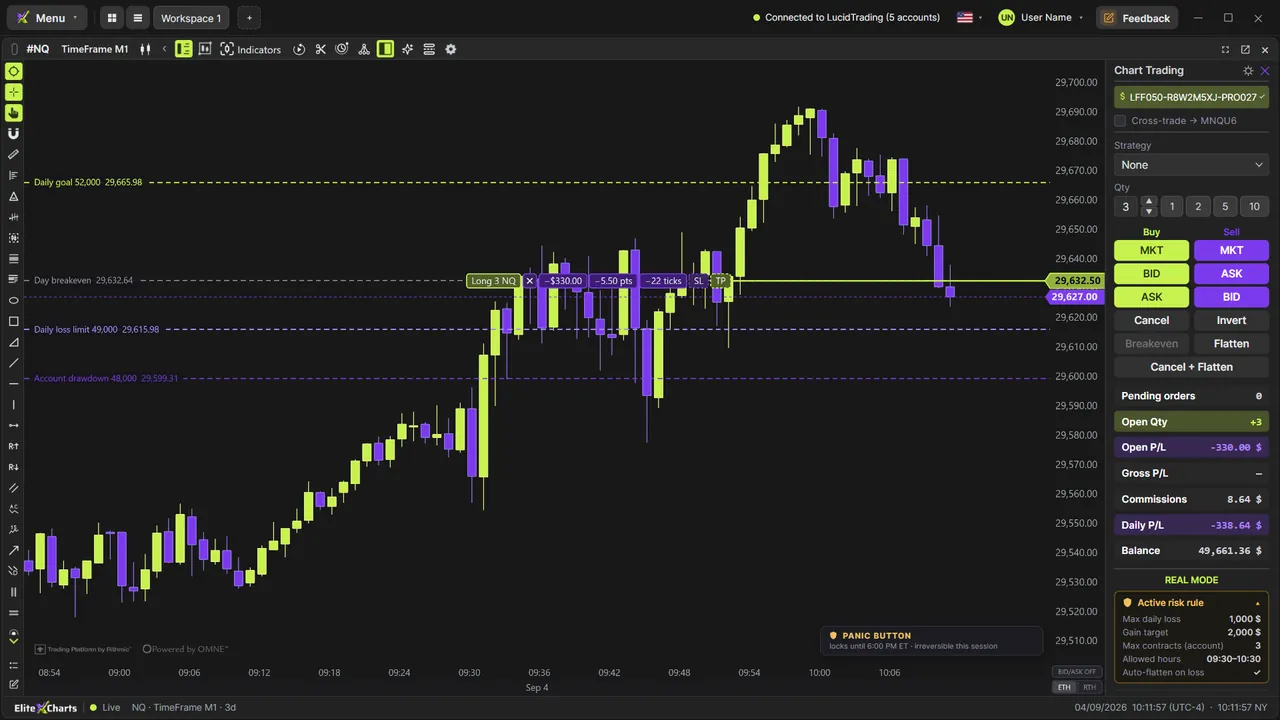
1:51The Floor is the balance where the account blows today. Under it, how much you can still lose. It updates every second with your open trade.
2:00On a funded account, the floor stops trailing once you're up the drawdown plus one hundred dollars. It locks at the starting balance plus one hundred, for good, and the padlock shows it.
2:11Progress shows how much of the goal is done, and what's left. With a consistency rule, Max daily objective is what you can still make today without breaking it.
2:20If your best day is already bigger than the rule allows, the rule turns red, and the goal is recomputed from that day: your best day divided by the rule.
2:30That's goal, consistency and drawdown in EliteXCharts: your firm's rules on every account, tracked live.