Accounts & risk · 1:39
New accounts and automatic approval
Learn how EliteXCharts detects new prop firm accounts on login, turns an evaluation Approved when it hits the goal, and archives the accounts that leave your login, in under 2 minutes.
Chapters
Step by step
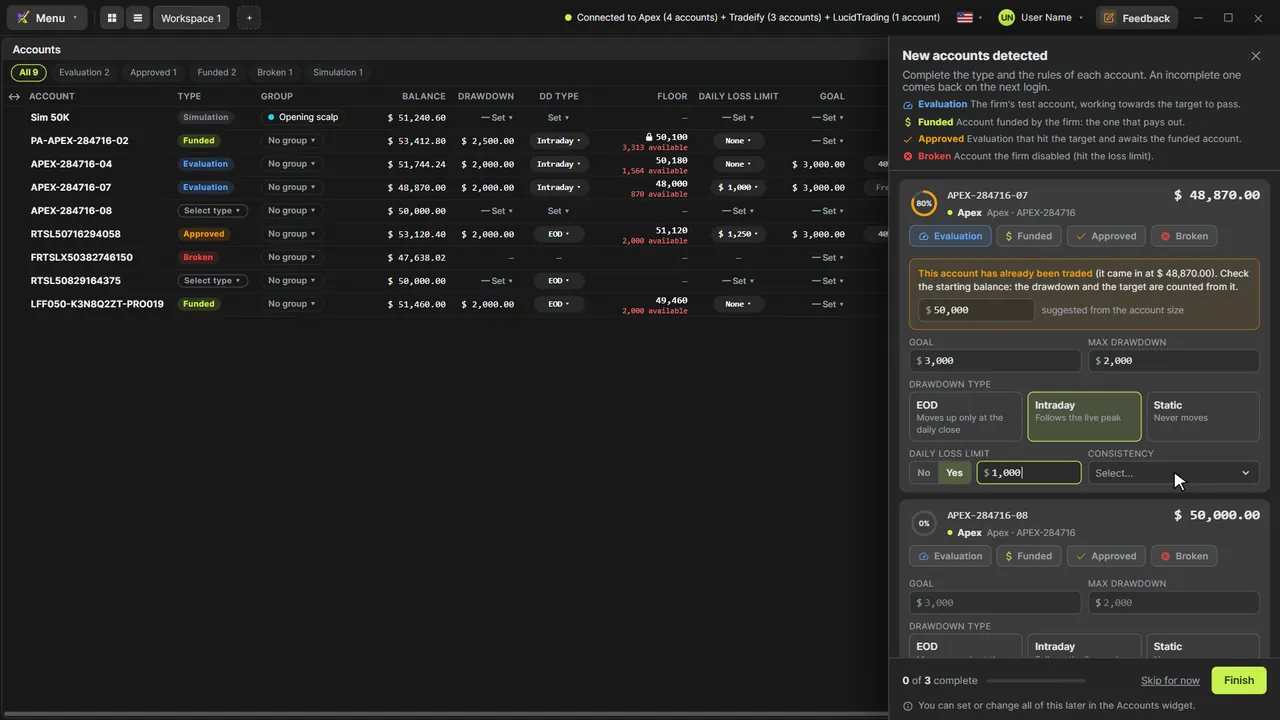
- See the New accounts detected panel open on login for every account the platform doesn't know yet
- Set the type and the firm's rules: goal, max drawdown and its type, daily loss limit and consistency
- Finish, or skip: an incomplete account comes back on the next login
- Change the rules any time with Account rules in the Accounts widget
- Watch an evaluation turn Approved on its own when a closed trade crosses its goal
- Find the accounts that left your login in the archive, with the day they left and the last balance
- Delete an archived account for good, on this computer and on the server
What the narrator says
0:08Welcome to EliteXCharts. In this video: how the platform keeps your prop firm accounts in order on its own. New accounts are detected, evaluations turn Approved, and accounts that leave your login are archived.
0:21When you log in, every account it doesn't know yet opens the New accounts detected panel, on the right.
0:27Pick the type and enter the firm's rules: the goal, the max drawdown, the daily loss limit and the consistency. The ring shows how much is left.
Read the full transcript
0:37Finish, and the account joins your table with all its rules. Skip something, and it comes back on your next login.
0:44To change the rules later, right-click the account and open Account rules. It's the same card.
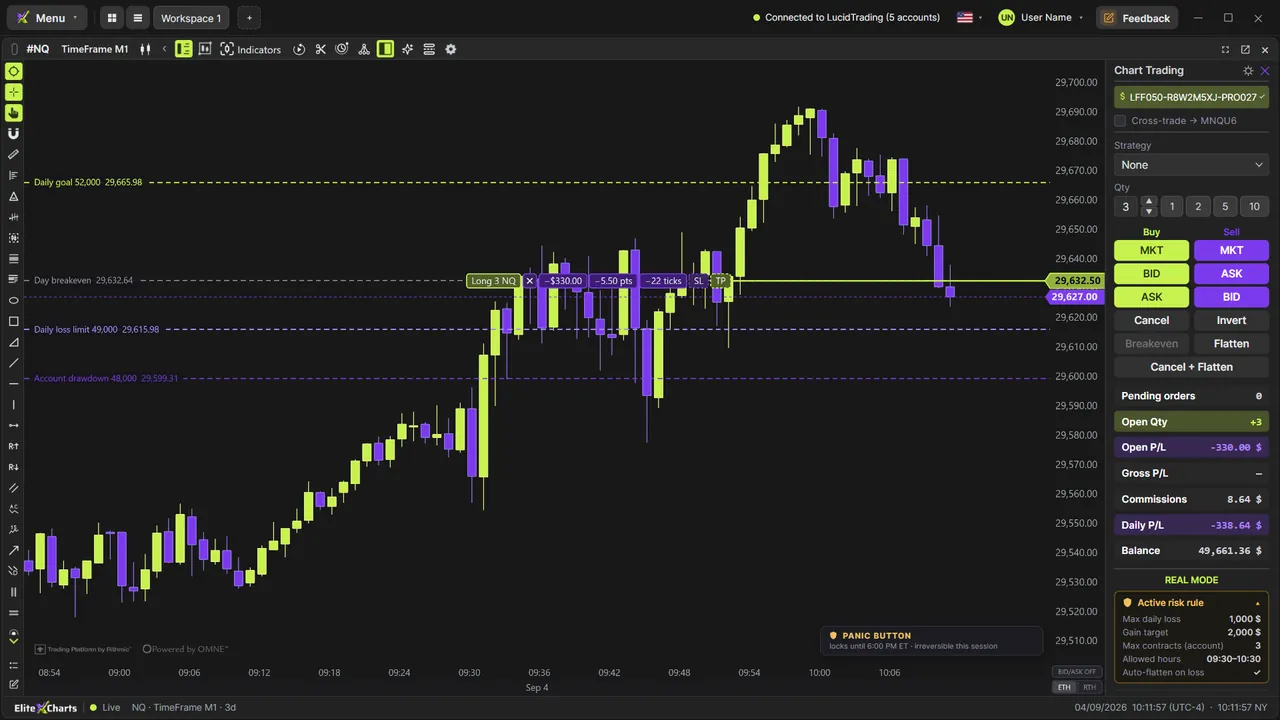
0:50Now, this evaluation is three hundred and fifty dollars from its goal, with a trade still open.
0:56The target fills, the goal is crossed, and the platform turns the account Approved on its own, with a heads-up in the corner.
1:04Only closed trades count, with your consistency rule, so an open profit never approves an account early.
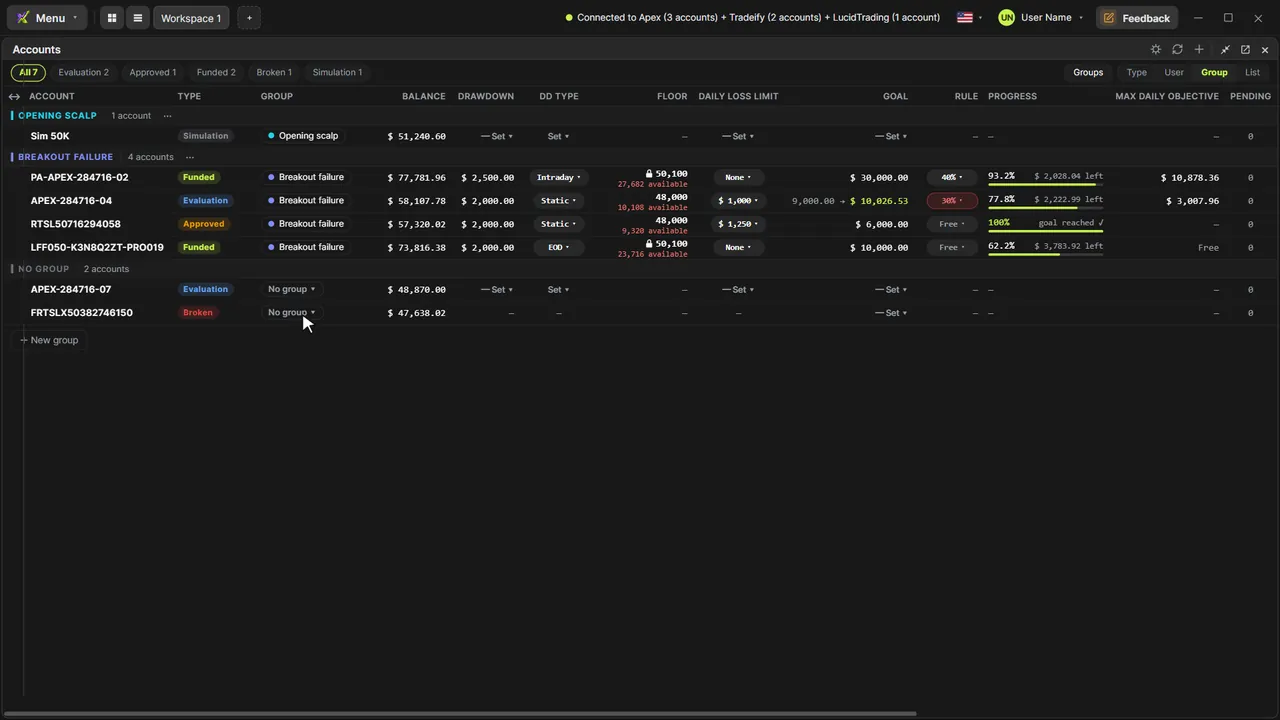
1:11And when a firm takes an account out of your login, it doesn't just disappear. It moves to the archive.
1:17You see the day it left and its last balance, and its history stays in your Trading Journal, read-only.
1:24Don't need it anymore? The trash deletes it for good, on this computer and on the server.
1:30That's new accounts, approvals and the archive in EliteXCharts: your desk stays organized on its own.