
Flow
VWAP Envelopes
Continuous VWAP with envelopes: volume-weighted average price over a MOVING WINDOW — N days or N minutes — that drops the past instead of resetting at the session.
Real example in the platform
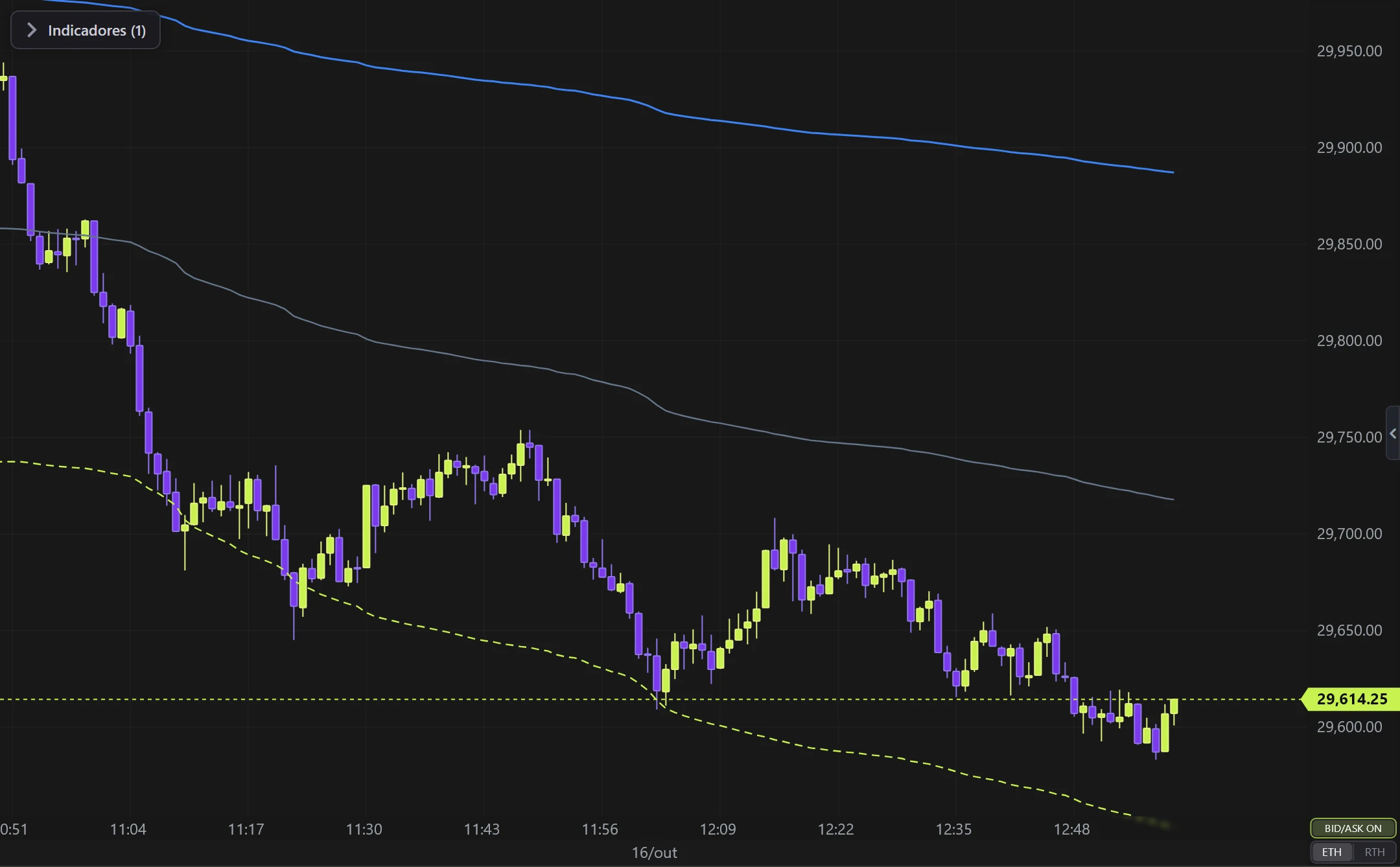
VWAP Envelopes on the NQ, 1-minute candles built from real ticks (October 16, 2026, Rithmic feed) — a screenshot of the platform itself, factory settings.
What it does
- VWAP line of the last N days (×24 h) or N minutes; three envelopes by standard deviation (volume-weighted) or by % of price, each with its own color, dash and width.
- Calculation source: compute it on candles of another type/timeframe (the badge shows where it comes from).
- Paint candles: closed above × below the VWAP.
How to read
- Price above the VWAP = buyers paying above the period average; at the outer envelopes price is stretched, mean reversion likely.
- Unlike the Session VWAP, this one never resets — it is the period average moving along with the market.
Settings
Everything you can change in the indicator's settings dialog, in the same order as in the platform:
- Period mode
- Daily (days)
- Minutes
- Period value
- Envelope mode
- Standard deviation
- % of price
- Line color
- Thickness
- Dash
- Enable
- Value (deviations or %)
- Color
- Paint candles
- Calculation source (another candle type/timeframe)
How to add it in EliteXCharts
- Open a chart and click the Indicators icon in the chart header.
- Pick the Flow category and choose VWAP Envelopes.
- Click Add. Double-click the indicator (or use its gear) to open the settings.
- Or ask the AI Assistant: "add the VWAP Envelopes".
Frequently asked questions
What does the VWAP Envelopes indicator do?
Continuous VWAP with envelopes: volume-weighted average price over a MOVING WINDOW — N days or N minutes — that drops the past instead of resetting at the session. VWAP line of the last N days (×24 h) or N minutes; three envelopes by standard deviation (volume-weighted) or by % of price, each with its own color, dash and width. Calculation source: compute it on candles of another type/timeframe (the badge shows where it comes from). Paint candles: closed above × below the VWAP.
How do you read the VWAP Envelopes?
Price above the VWAP = buyers paying above the period average; at the outer envelopes price is stretched, mean reversion likely. Unlike the Session VWAP, this one never resets — it is the period average moving along with the market.
How do I add the VWAP Envelopes to a chart in EliteXCharts?
Open a chart and click the Indicators icon in the chart header. Pick the Flow category and choose VWAP Envelopes. Click Add. Double-click the indicator (or use its gear) to open the settings. Or ask the AI Assistant: "add the VWAP Envelopes".
Related indicators
Big Trades
Marks the LARGE trades on the chart (ATAS-style sweep).
real screenshotAbsorption
Absorption: aggression that does NOT move price — Big Trades' sibling, but for whoever is HOLDING.
real screenshotTrend Pressure
Trend line driven by PRESSURE (EMA base + pressure×ATR) with signals.
real screenshotRSI Levels
Support/resistance created by RSI CROSSES.
real screenshotTry it on your own chart
Every feature on every plan — 6 months, 1 year or lifetime.
See plans & pricing