
Averages
Supertrend
ATR trail that flips color with the trend (a visual trailing stop).
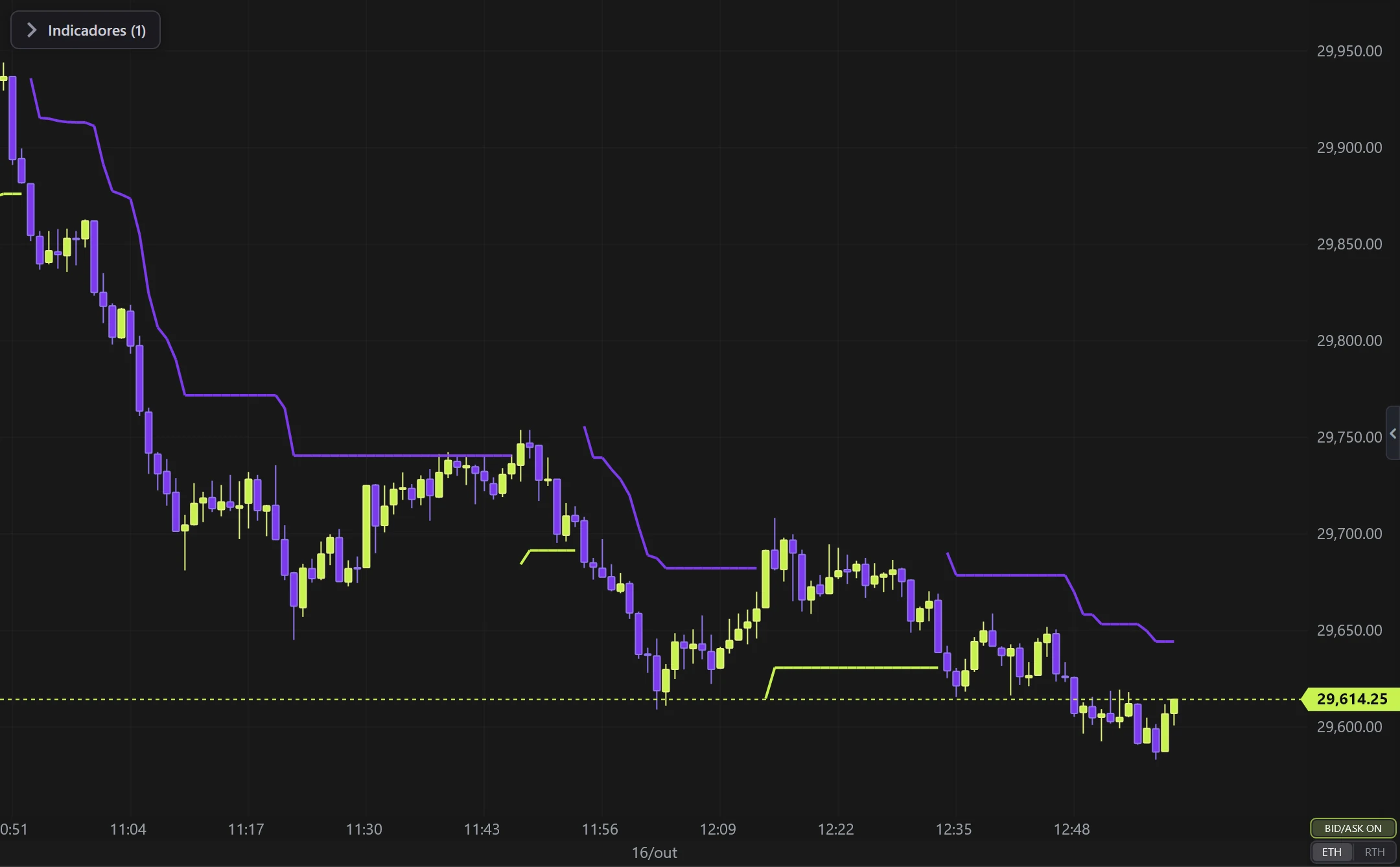
Real example in the platform
Supertrend on the NQ, 1-minute candles built from real ticks (October 16, 2026, Rithmic feed) — a screenshot of the platform itself, factory settings.
What it does
- Line below price in an uptrend (green) / above in a downtrend (red).
- Works as a trailing stop: stay long while green, exit when it flips red.
Options
- ATR period, multiplier, colors and thickness.
Settings
Everything you can change in the indicator's settings dialog, in the same order as in the platform:
- ATR period
- Multiplier (× ATR)
- Thickness
- Colors
- Up trend
- Down trend
- Paint candles
- Calculation source (another candle type/timeframe)
How to add it in EliteXCharts
- Open a chart and click the Indicators icon in the chart header.
- Pick the Averages category and choose Supertrend.
- Click Add. Double-click the indicator (or use its gear) to open the settings.
- Or ask the AI Assistant: "add the Supertrend".
Frequently asked questions
What does the Supertrend indicator do?
ATR trail that flips color with the trend (a visual trailing stop). Line below price in an uptrend (green) / above in a downtrend (red). Works as a trailing stop: stay long while green, exit when it flips red.
How do you read the Supertrend?
ATR period, multiplier, colors and thickness.
How do I add the Supertrend to a chart in EliteXCharts?
Open a chart and click the Indicators icon in the chart header. Pick the Averages category and choose Supertrend. Click Add. Double-click the indicator (or use its gear) to open the settings. Or ask the AI Assistant: "add the Supertrend".
Related indicators
Moving Average
Classic moving average of the close.
real screenshotDouble MA
Two averages (fast + slow) with a colored cloud between them.
real screenshotEMA Trend 27/55
Two EMAs (default 27/55) that define the trend and PAINT the candles.
real screenshotBollinger Bands
Standard-deviation bands around a moving average.
real screenshotTry it on your own chart
Every feature on every plan — 6 months, 1 year or lifetime.
See plans & pricing