
Averages
Keltner Channels
ATR channel around an EMA (Bollinger's smoother sibling).
Real example in the platform
Keltner Channels on the NQ, 1-minute candles built from real ticks (October 16, 2026, Rithmic feed) — a screenshot of the platform itself, factory settings.
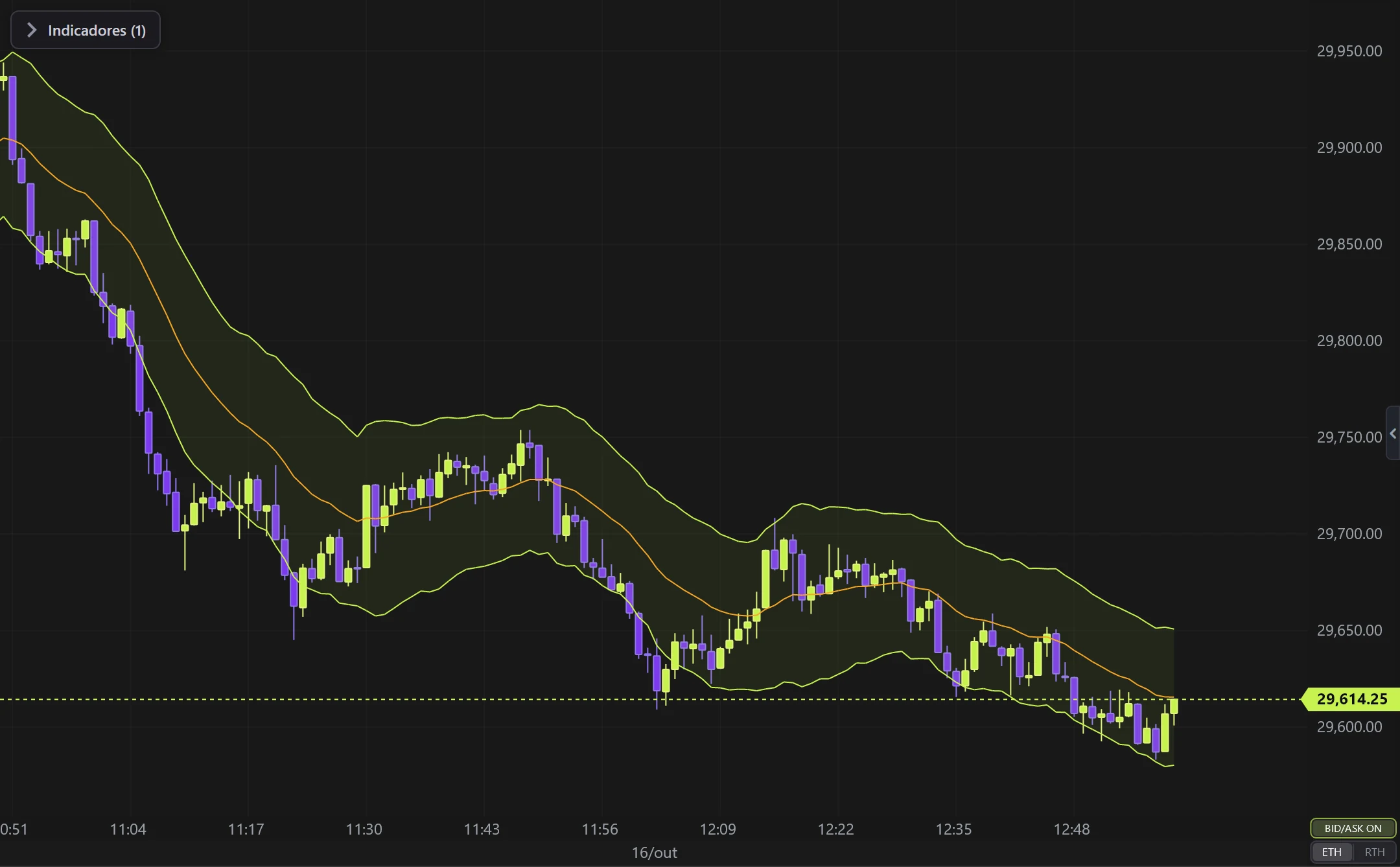
What it does
- Central EMA ± multiplier × ATR.
- Uses REAL volatility (ATR) instead of standard deviation — fewer fake-outs.
Options
- EMA period, ATR period, multiplier, colors and fill.
Settings
Everything you can change in the indicator's settings dialog, in the same order as in the platform:
- EMA period
- ATR period
- Multiplier (× ATR)
- Thickness
- Colors
- Middle line
- Bands
- Fill between bands
- Fill opacity
- Calculation source (another candle type/timeframe)
How to add it in EliteXCharts
- Open a chart and click the Indicators icon in the chart header.
- Pick the Averages category and choose Keltner Channels.
- Click Add. Double-click the indicator (or use its gear) to open the settings.
- Or ask the AI Assistant: "add the Keltner Channels".
Frequently asked questions
What does the Keltner Channels indicator do?
ATR channel around an EMA (Bollinger's smoother sibling). Central EMA ± multiplier × ATR. Uses REAL volatility (ATR) instead of standard deviation — fewer fake-outs.
How do you read the Keltner Channels?
EMA period, ATR period, multiplier, colors and fill.
How do I add the Keltner Channels to a chart in EliteXCharts?
Open a chart and click the Indicators icon in the chart header. Pick the Averages category and choose Keltner Channels. Click Add. Double-click the indicator (or use its gear) to open the settings. Or ask the AI Assistant: "add the Keltner Channels".
Related indicators
Moving Average
Classic moving average of the close.
real screenshotDouble MA
Two averages (fast + slow) with a colored cloud between them.
real screenshotEMA Trend 27/55
Two EMAs (default 27/55) that define the trend and PAINT the candles.
real screenshotBollinger Bands
Standard-deviation bands around a moving average.
real screenshotTry it on your own chart
Every feature on every plan — 6 months, 1 year or lifetime.
See plans & pricing