
Tools
Economic Calendar (US)
Today's US economic news, in the chart corner.
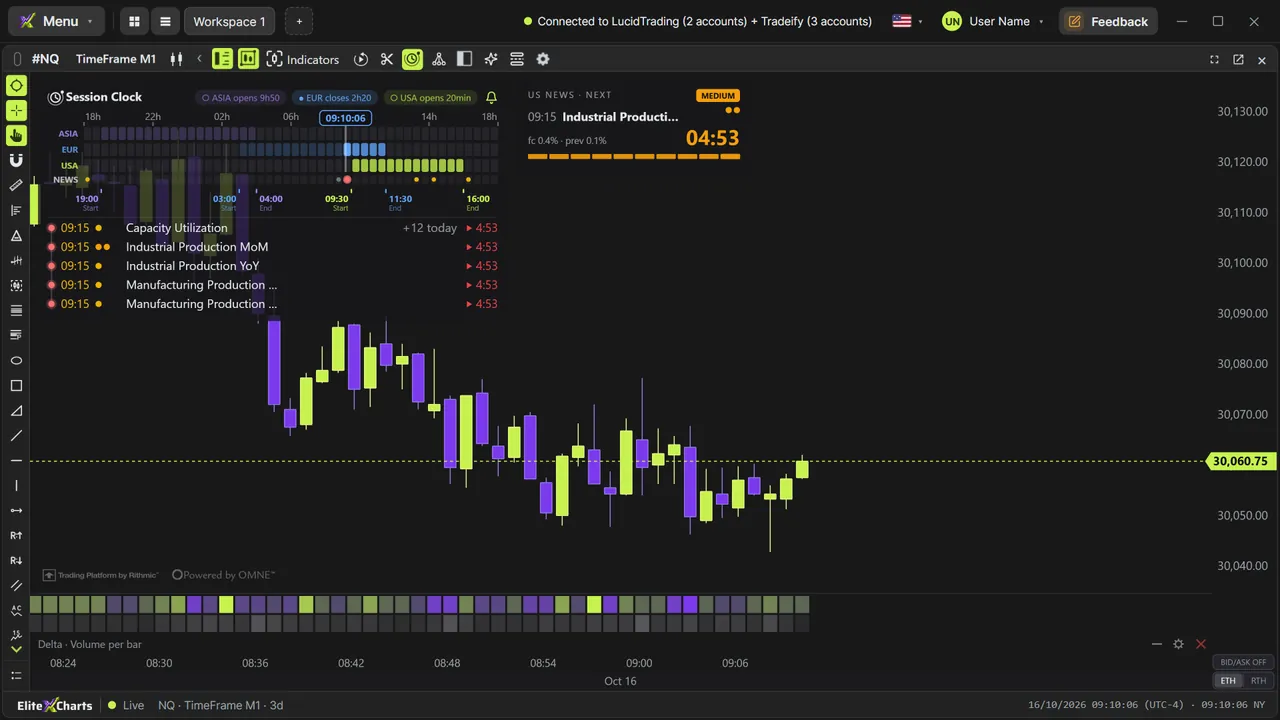
Real example in the platform
Economic Calendar (US) on the NQ, 1-minute candles built from real ticks (October 16, 2026, Rithmic feed) — a screenshot of the platform itself, factory settings.
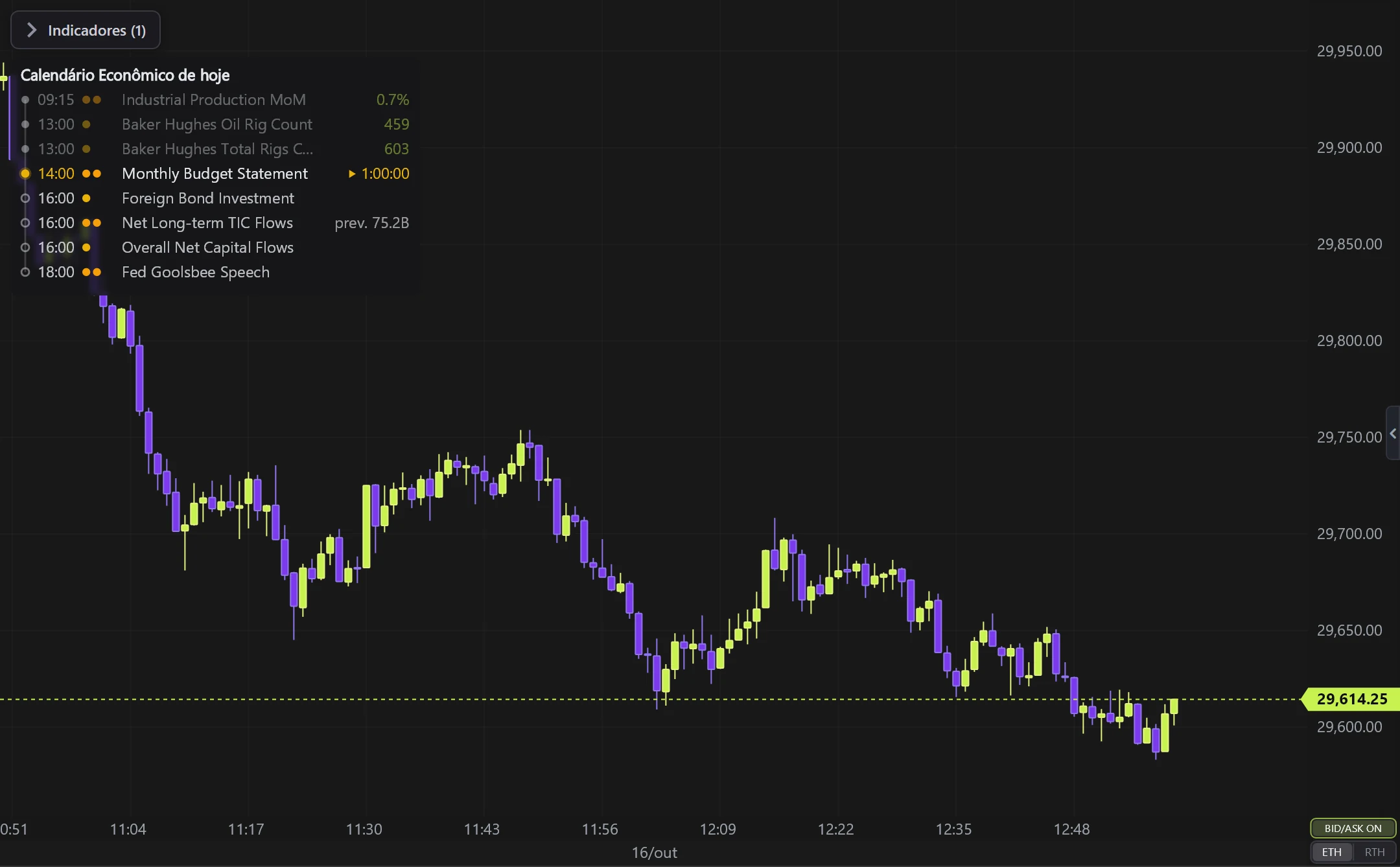
What it does
- Lists time (ET), impact (1-3 dots), forecast, previous and the result (in green, 1–2 min after the release).
- Countdown to the next event + SOUND ALERT (minute by minute in the last 5 min).
- Hidden mode: only shows/beeps near the event.
Options
- Impact filter, max rows, font, colors and background opacity.
Settings
Everything you can change in the indicator's settings dialog, in the same order as in the platform:
- All
- Medium + High
- High only (red)
- Hidden mode (beep only; shows 5 min before)
- Sound alert
- Which news
- Max news rows
- Font size
- Colors
- Text
- Countdown
- Background
- Background opacity
- Background blur
How to add it in EliteXCharts
- Open a chart and click the Indicators icon in the chart header.
- Pick the Tools category and choose Economic Calendar (US).
- Click Add. Double-click the indicator (or use its gear) to open the settings.
- Or ask the AI Assistant: "add the Economic Calendar (US)".
Frequently asked questions
What does the Economic Calendar (US) indicator do?
Today's US economic news, in the chart corner. Lists time (ET), impact (1-3 dots), forecast, previous and the result (in green, 1–2 min after the release). Countdown to the next event + SOUND ALERT (minute by minute in the last 5 min). Hidden mode: only shows/beeps near the event.
How do you read the Economic Calendar (US)?
Impact filter, max rows, font, colors and background opacity.
How do I add the Economic Calendar (US) to a chart in EliteXCharts?
Open a chart and click the Indicators icon in the chart header. Pick the Tools category and choose Economic Calendar (US). Click Add. Double-click the indicator (or use its gear) to open the settings. Or ask the AI Assistant: "add the Economic Calendar (US)".
Related indicators
Try it on your own chart
Every feature on every plan — 6 months, 1 year or lifetime.
See plans & pricing