
Structure
Opening Trigger (Champion)
The CHAMPION strategy setup, drawn on the chart.
Real example in the platform
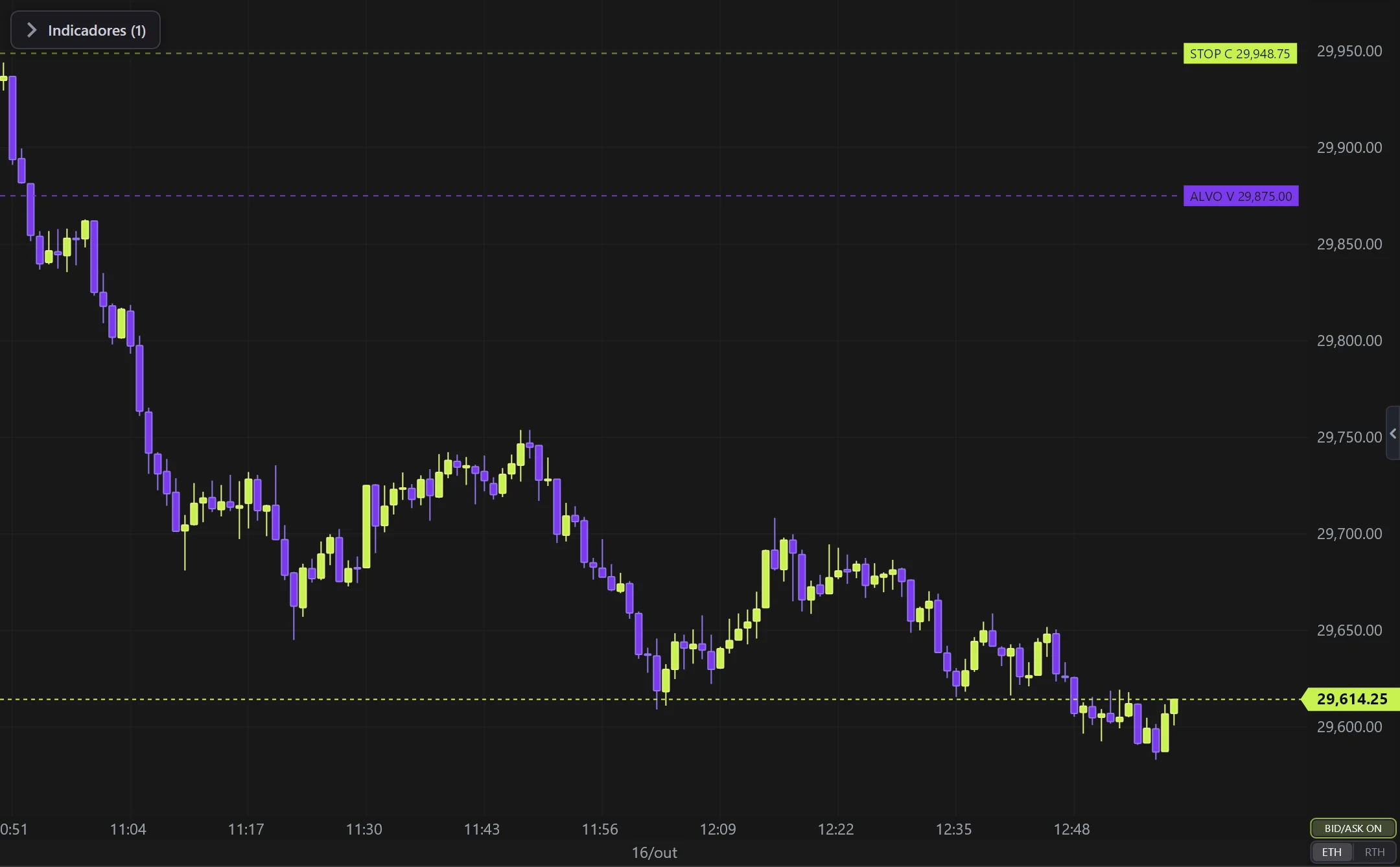
Opening Trigger (Champion) on the NQ, 1-minute candles built from real ticks (October 16, 2026, Rithmic feed) — a screenshot of the platform itself, factory settings.
What it does
- Marks the session OPEN (9:30 ET) and the two trigger lines: buy at open +50 pts, sell at open −50 pts.
- The lines are valid until the entry cutoff (10:00 ET).
- Price touching a line inside the window = entry in the touch direction.
Options
- Trigger distance, times, colors.
Settings
Everything you can change in the indicator's settings dialog, in the same order as in the platform:
- Trigger distance (points)
- Target from trigger (points)
- Stop from trigger (points)
- Thickness
- Dash
- Show
- TARGET and STOP lines
- Open price (dashed)
- Vertical markers (9:30 and cutoff)
- Labels + price on lines
- Colors
- Buy trigger
- Sell trigger
- Open (mark / price)
- Session times
- RTH open (9:30 = 570)
- Entry cutoff (10:00 = 600)
- Session end / target-stop (16:00 = 960)
How to add it in EliteXCharts
- Open a chart and click the Indicators icon in the chart header.
- Pick the Structure category and choose Opening Trigger (Champion).
- Click Add. Double-click the indicator (or use its gear) to open the settings.
- Or ask the AI Assistant: "add the Opening Trigger (Champion)".
Frequently asked questions
What does the Opening Trigger (Champion) indicator do?
The CHAMPION strategy setup, drawn on the chart. Marks the session OPEN (9:30 ET) and the two trigger lines: buy at open +50 pts, sell at open −50 pts. The lines are valid until the entry cutoff (10:00 ET). Price touching a line inside the window = entry in the touch direction.
How do you read the Opening Trigger (Champion)?
Trigger distance, times, colors.
How do I add the Opening Trigger (Champion) to a chart in EliteXCharts?
Open a chart and click the Indicators icon in the chart header. Pick the Structure category and choose Opening Trigger (Champion). Click Add. Double-click the indicator (or use its gear) to open the settings. Or ask the AI Assistant: "add the Opening Trigger (Champion)".
Related indicators
Swing Highs & Lows
Marks the structural PIVOTS (swing highs and lows) on Renko.
real screenshotHigher Timeframes (right)
Candles of HIGHER timeframes in a strip on the right side.
real screenshotAMD Cycle
Accumulation → Manipulation → Distribution cycle over the HIGHER timeframe candle.
real screenshotHTF Power of Three
The candles of a HIGHER timeframe on the right of the chart, the last one forming live: ICT's Power of Three…
real screenshotTry it on your own chart
Every feature on every plan — 6 months, 1 year or lifetime.
See plans & pricing